Delete account
Deleting the account closes it for everyone on your team. Only the Owner can do it, and it cannot be undone.
What is removed
- Every call record and transcript.
- All provisioned phone numbers and their routing.
- Contacts, tags, segments and campaigns.
- All team members, queues and AI voice agents.
- Every sign-in for your team, including the stored email, phone number and known devices.
- Your provider keys, SIP credentials and API integrations.
- Your activity log, webhook history, imports and exports, and the exported files themselves.
Numbers bought through WhautoVoice are handed back to the provider. Numbers you imported from your own provider account are removed from WhautoVoice but stay on your provider account.
Call recordings stay in your own carrier account. The audio was never stored by WhautoVoice: recording files live on your Telnyx, Twilio, Plivo or Vonage account and are billed by them, and deleting your WhautoVoice account removes our record of where they are, not the files themselves. If you want the audio gone as well, delete it in your carrier's own dashboard before or after you close the account.
Before you go
- Export anything you want to keep
- Contacts, calls, campaign results and the activity log under Settings > Data exports. See Data exports.
- Keep numbers you still need
- Move a number to another system at your provider first, or release it deliberately under Phone Numbers.
- Cancel your subscription
- Open Settings > Subscription & usage > Manage subscription and cancel in the billing portal, so no further charge is made.
- Tell your team
- Everyone is signed out the moment deletion is confirmed.
Delete the account
Open Settings > Delete account.
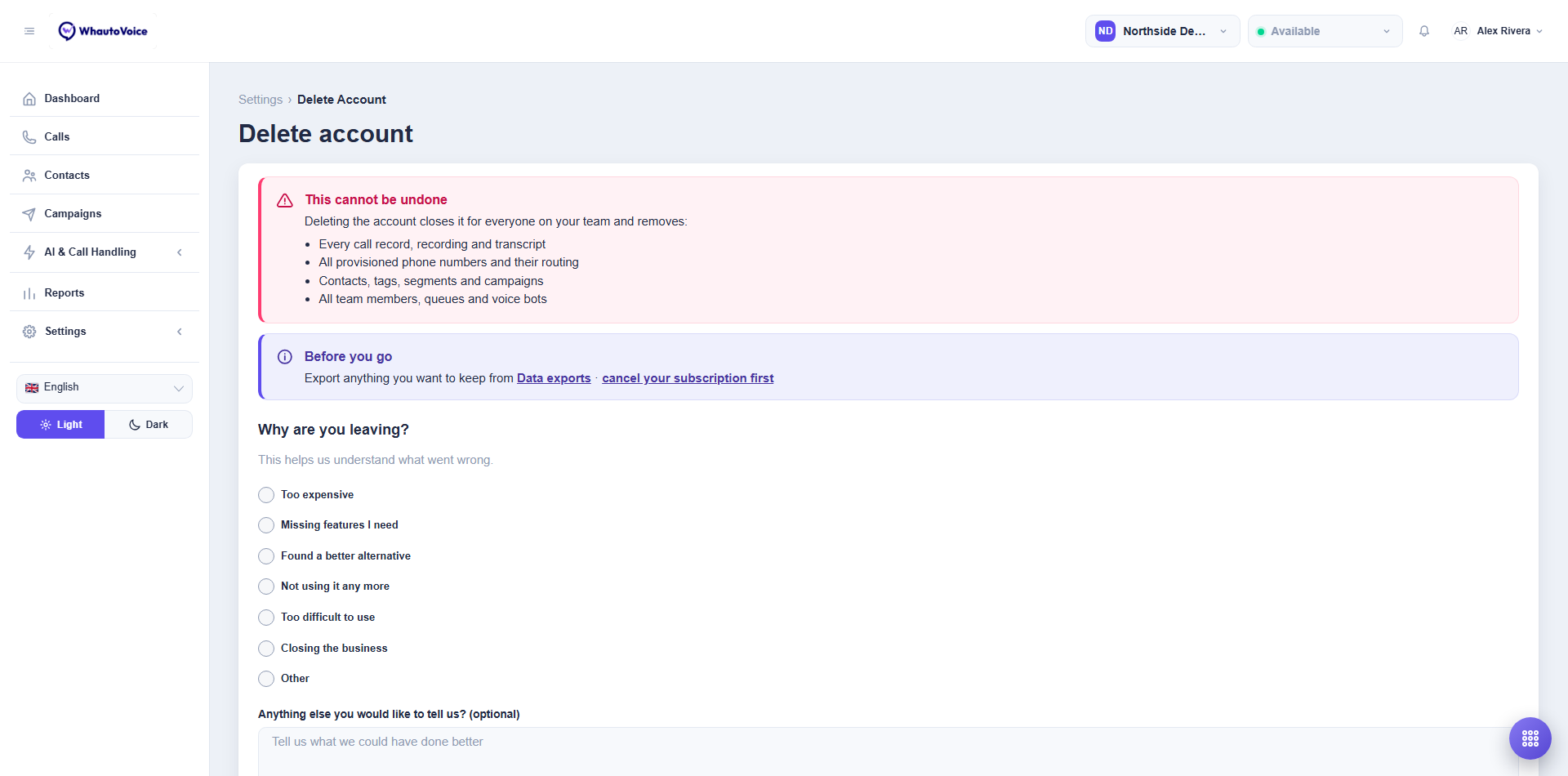
- Read the warning and reminders
- Tell us why you are leaving
- Pick a reason (Too expensive, Missing features I need, Found a better alternative, Not using it any more, Too difficult to use, Closing the business, Other) and add anything else in the box. It helps us understand what went wrong.
- Tick "I understand this permanently deletes the account and all of its data."
- Click Delete account
- Enter your password in the Last chance dialog and confirm
- The account is scheduled for deletion and everyone is signed out.
If you confirmed by mistake, email hello@whautovoice.com immediately from the Owner's address. Deletion is scheduled rather than instant, so there is a short window in which support can stop it. After that the data is gone.
Related
Email us at hello@whautovoice.com and we will get you sorted.