REST API
The REST API lets your own systems read and write WhautoVoice data: pull call history into a CRM, create contacts from a web form, tag people from your booking system, or manage webhook endpoints without opening the app.
Before you start
- You are an Owner or Administrator (only they can manage API keys).
- Your plan's rate limit: 120 requests per minute on Starter, 600 on Growth, 1,200 on Scale, counted across all your keys.
API host and keys
Open Settings > API keys (also the REST API card on Integrations).
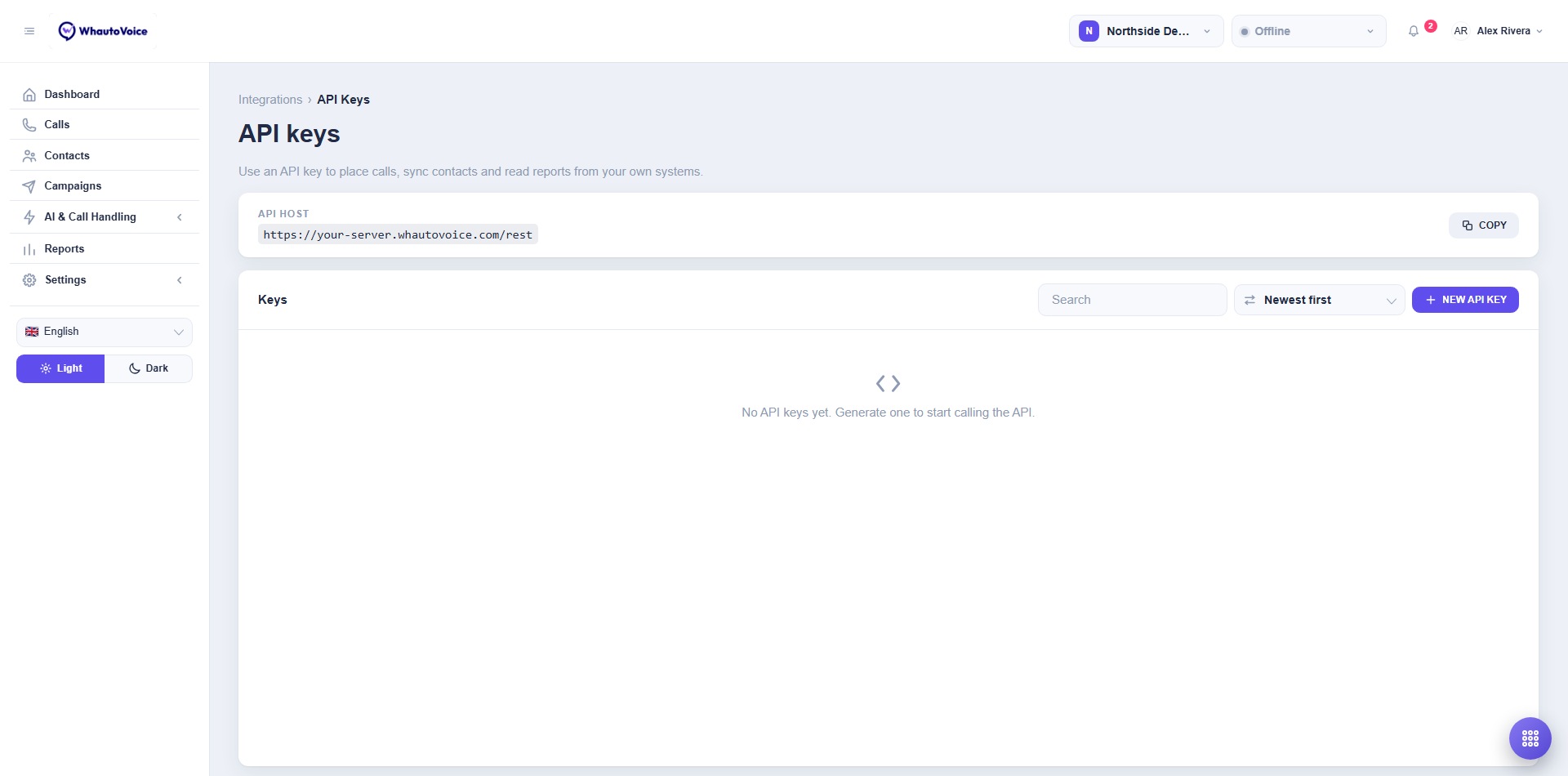
- API host is the base address for every request. Click Copy.
- Keys lists each key with its Name, Created date and Last used.
Generate a key
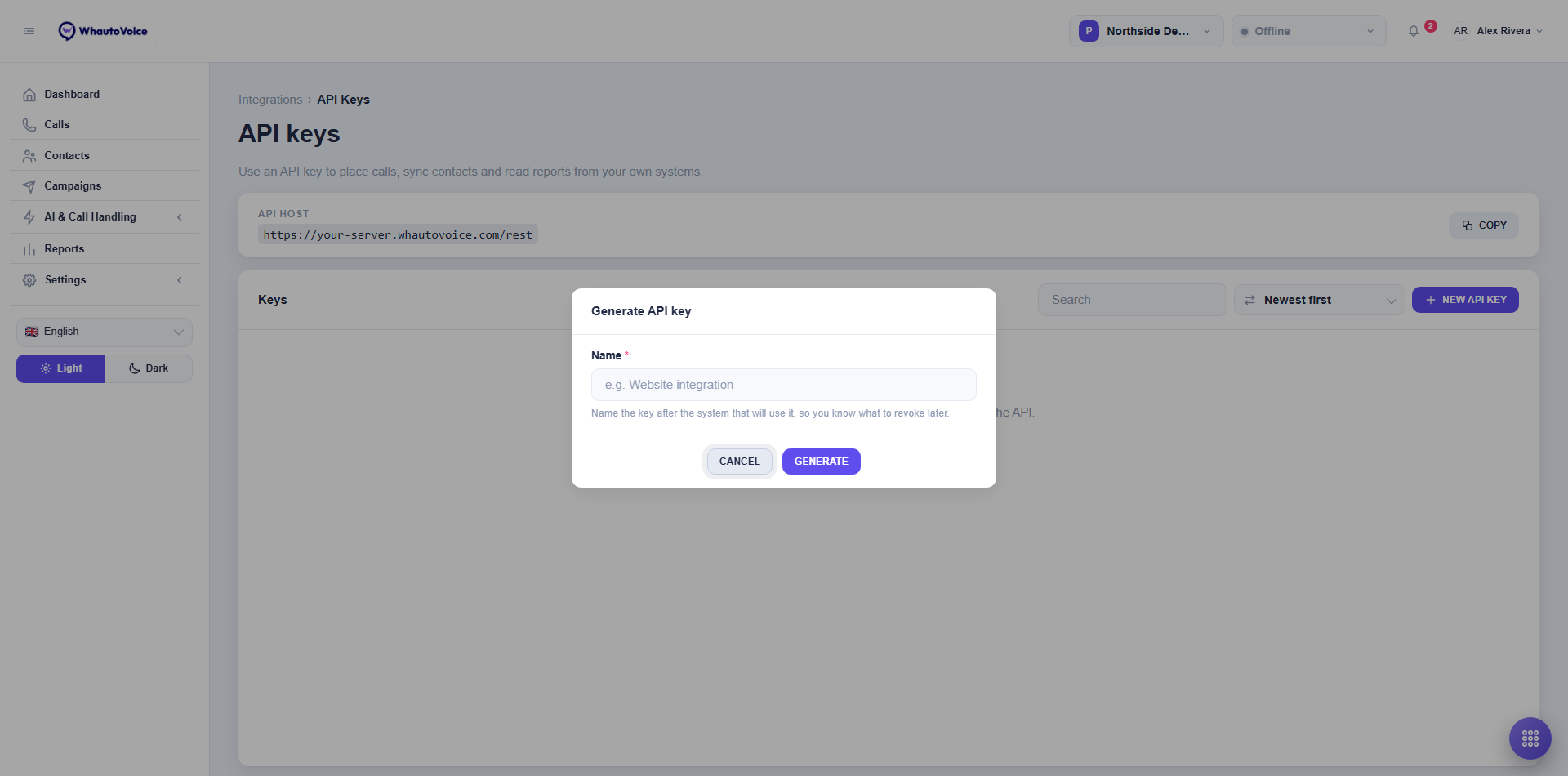
- Click New API key
- Name it after the system that will use it
- For example "Website booking form", so you know what to revoke later.
- Click Generate
- Copy the key now
- It is shown once. Store it in your system's secret store, not in code.
- Click Done
Revoke a key
Click the bin icon on the key and confirm. Anything using that key stops working immediately. Generate a new key first if you are rotating.
Authentication
Send the key in the x-api-key header on every request. Requests without a valid key get 401 {"message":"Unauthorized"}.
curl "https://<api-host>/v1/account-info" \
  -H "x-api-key: YOUR_API_KEY"
Replace <api-host> with the API host shown on the page.
Endpoints
All paths are under /v1/ on the API host (which already ends in /rest). Bodies are JSON. limit is capped at 200 (or 100 for tags, segments, workspaces and webhooks, which use page and limit).
Contacts, calls, campaigns and phone numbers answer with a named object: a list comes as {"contacts": [...]}, {"calls": [...]}, {"campaigns": [...]} or {"phoneNumbers": [...]}, and a single record as {"contact": {...}} or {"call": {...}, "transcripts": [...]}. Tags, segments, workspaces, team members and webhooks answer with a plain array, or the record itself.
| Resource | Method and path | Purpose |
|---|---|---|
| Account | GET /account-info | Your account name and the owner's email (name, ownerEmail). |
| Contacts | GET /contacts?phone=&tag=&limit=&skip= | List contacts, optionally by exact phone or tag. |
| Contacts | GET /contacts/:id | One contact. |
| Contacts | POST /contacts | Create a contact: phone (required), name, email, tags, stage, workspaceId, variables. |
| Contacts | PATCH /contacts/:id | Update any of those fields. |
| Contacts | DELETE /contacts/:id | Delete a contact. |
| Contact tags | POST /contactTags | Create a tag: name. |
| Contact tags | GET /contactTags?page=&limit= | List tags. |
| Contact tags | GET /contactTags/:id | One tag. |
| Contact tags | DELETE /contactTags/:id | Delete a tag. |
| Segments | POST /segments | Create a segment: name, contactTags, exclusionContactTags, workspaces. |
| Segments | GET /segments?page=&limit= | List segments. |
| Segments | GET /segments/:id | One segment. |
| Segments | DELETE /segments/:id | Delete a segment. |
| Workspaces | GET /workspaces?page=&limit= | List workspaces. |
| Workspaces | GET /workspaces/:id | One workspace. |
| Team | GET /staffs?page=&limit= | List team members. |
| Team | GET /staffs/:id | One team member. |
| Webhooks | POST /webhooks | Create an endpoint: name, serverUrl (https), events, webhookHeaders, active. |
| Webhooks | PUT /webhooks/:id | Update an endpoint. |
| Webhooks | GET /webhooks?page=&limit= | List endpoints. |
| Webhooks | GET /webhooks/:id | One endpoint. |
| Webhooks | DELETE /webhooks/:id | Delete an endpoint. |
| Calls | GET /calls?status=&direction=&contactId=&from=&to=&limit=&skip= | Call history. from and to are ISO dates. |
| Calls | GET /calls/:id | One call with its transcript summary, disposition and agent. |
| Campaigns | GET /campaigns?limit= | Campaigns with status and counters. |
| Phone numbers | GET /phone-numbers | Your numbers with routing and status. |
Creating, updating and deleting workspaces and team members is done in the app, not the API.
Examples
List the contacts tagged vip:
curl "https://<api-host>/v1/contacts?tag=vip&limit=50" \
  -H "x-api-key: YOUR_API_KEY"
Create a contact from a web form:
curl -X POST "https://<api-host>/v1/contacts" \
  -H "x-api-key: YOUR_API_KEY" \
  -H "Content-Type: application/json" \
  -d '{
    "phone": "+12025550188",
    "name": "Ravi Menon",
    "email": "ravi.menon@example.com",
    "tags": ["new-patient"],
    "stage": "new",
    "variables": { "insurer": "Delta Dental" }
  }'
Calls from the last week that were answered:
curl "https://<api-host>/v1/calls?status=completed&from=2026-08-28T00:00:00Z&to=2026-09-04T23:59:59Z&limit=200" \
  -H "x-api-key: YOUR_API_KEY"
Read one call:
curl "https://<api-host>/v1/calls/jD6Wq8zCf9" \
  -H "x-api-key: YOUR_API_KEY"
Errors
| Status | Meaning |
|---|---|
| 400 | A required field is missing or invalid. The body has error with the reason. |
| 401 | Missing or revoked API key. |
| 404 | The record does not exist or belongs to another account. |
| 405 | The method is not supported on that resource. |
| 429 | Rate limit reached. Wait and retry with backoff. |
Contacts created through the API are the same contacts your team and AI agents see, so phone numbers must be unique and in international format.
Related
Email us at hello@whautovoice.com and we will get you sorted.