Activity log
The activity log is the account's audit trail. Every change that matters is recorded with who made it and when, so a surprise on the phone system can always be traced.
What is recorded
- Account created, plan changed, subscription events.
- Telephony provider or AI engine connected and disconnected.
- Phone numbers bought, imported, renamed, re-routed and released.
- AI voice agents and call flows created, activated, moved to draft and deleted.
- Call queues and business hours created and changed.
- Campaigns created, started, paused and stopped.
- Team members invited, edited, activated and deactivated.
- API keys generated and revoked, webhooks created and deleted.
- Data exports requested, contacts imported and bulk-deleted.
Each entry carries the workspace it happened in and the IP address of the person who made the change.
Reading the log
Open Settings > Activity log. Owners and Administrators can see it.
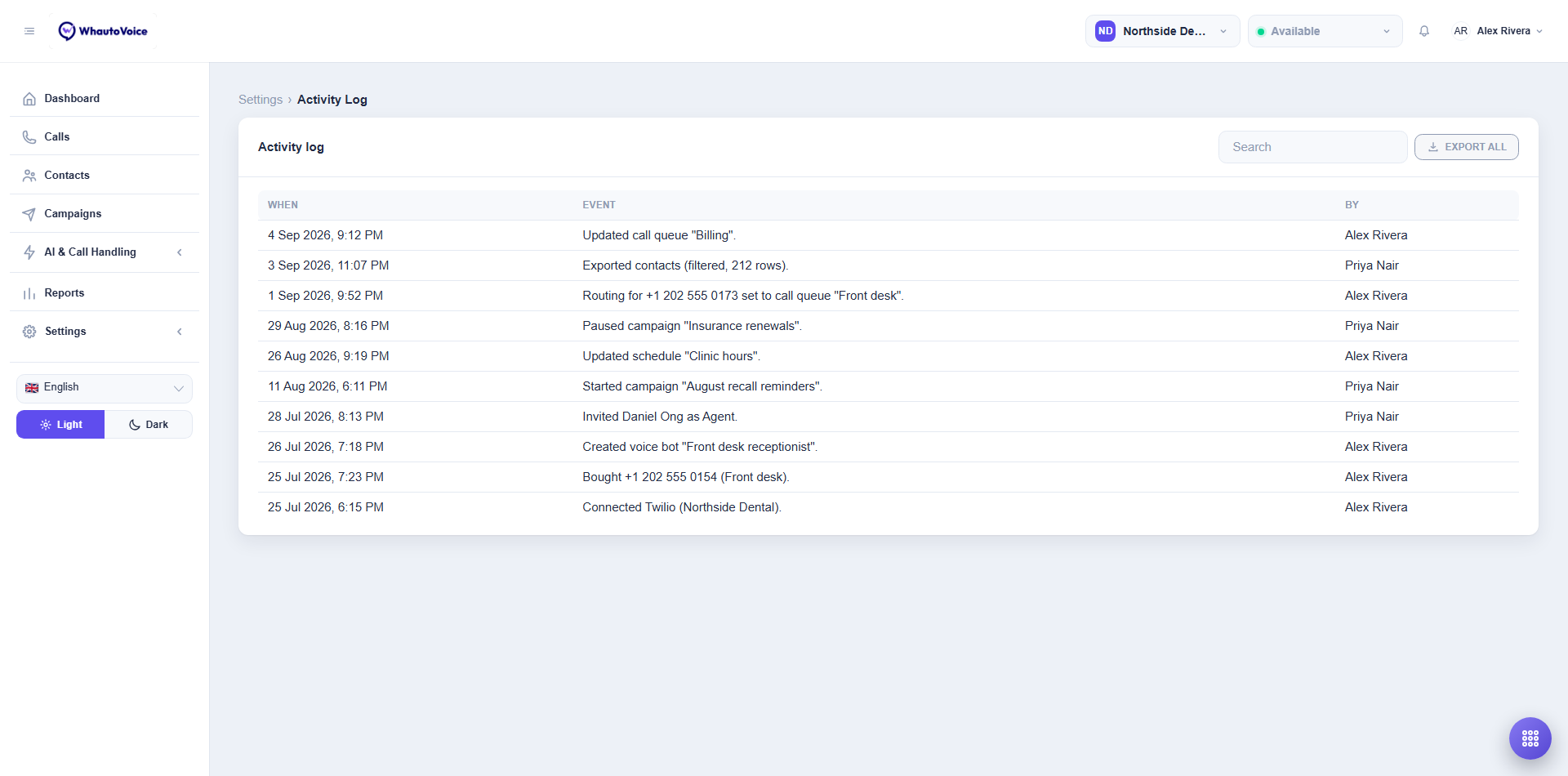
| Column | Meaning |
|---|---|
| When | Date and time in your time format. |
| Event | A plain sentence describing what happened, including the number, AI agent or campaign involved. |
| By | The team member. System jobs are labelled as such. |
Use Search to find an event by keyword, for example a phone number or a colleague's name.
Export
Click Export all to build a CSV of the log (When, Event, Message, Performed by, Entity type, Entity id, IP address). It lands under Settings > Data exports. See Data exports.
Retention
Log entries are kept for the life of the account. Export them before deleting the account if you need them for compliance.
Related
Email us at hello@whautovoice.com and we will get you sorted.