Call handling settings
Call handling holds two timers that decide when this workspace is willing to ring somebody: how long an agent stays in wrap-up after a call, and how long a quiet agent stays available before they are marked offline.
Before you start
- An Owner or Administrator role. Agents do not see this page, but the timers apply to them.
Open Call handling
-
Open the page
- In the sidebar choose Settings > Call handling.
-
Pick the values and Save
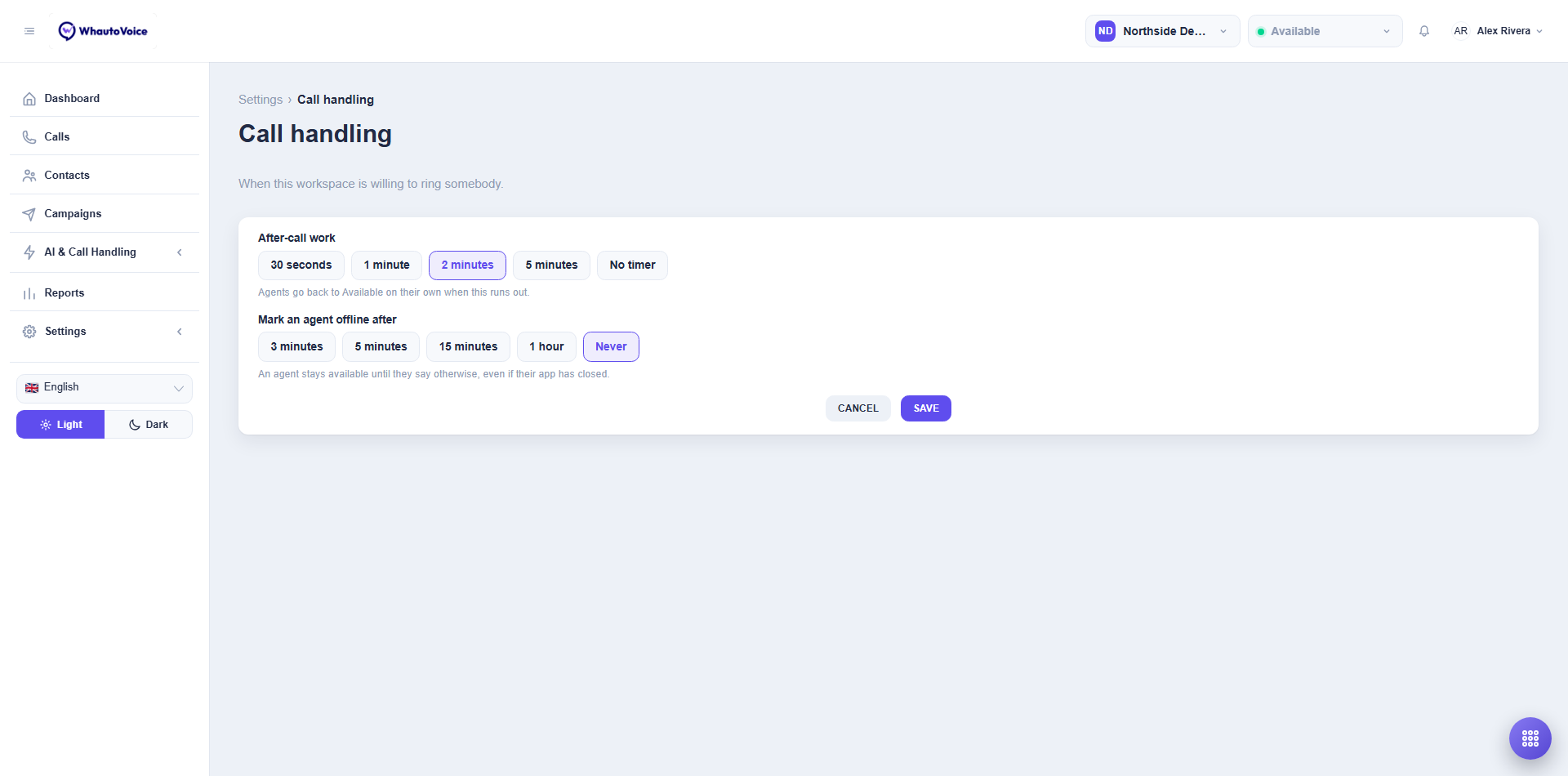
- Each setting is a row of buttons; the highlighted one is current. Click Save to apply, or Cancel to put things back. You see Call handling updated on success.
After-call work
When an agent finishes a call their presence switches to Wrap-up so they can add notes and a disposition without a new call landing. After-call work is how long that lasts.
| Option | What happens |
|---|---|
| 30 seconds, 1 minute, 2 minutes, 5 minutes | Agents go back to Available on their own when the timer runs out. The default is 2 minutes. |
| No timer | Wrap-up stays until the agent ends it. |
An agent who finishes early does not have to wait. The presence selector in the header offers I'm back, which ends wrap-up straight away and returns them to Available.
Mark an agent offline after
WhautoVoice only rings agents whose presence is Available (or Wrap-up, for transfers). If an agent's browser tab is closed, the laptop goes to sleep or the connection drops, their presence would otherwise stay Available and callers would be rung to an empty desk. Mark an agent offline after is how long the app may go quiet before that agent stops being rung.
| Option | What happens |
|---|---|
| 3 minutes, 5 minutes, 15 minutes, 1 hour | An agent whose app has gone quiet for this long is marked Offline and stops being rung. The default is 3 minutes. |
| Never | An agent stays available until they say otherwise, even if their app has closed. |
An agent marked offline this way simply picks Available again when they are back. Nothing else changes for them.
The default is short on purpose. A queue that keeps ringing someone who is not there makes every caller wait longer before reaching a person who is. Pick Never only if your team keeps the app open all day and manages presence by hand.
Related
Email us at hello@whautovoice.com and we will get you sorted.