AI agent not answering
Callers hear voicemail, a message that the number is unavailable, or nothing at all, when an AI voice agent should have picked up. Work through this list from the top; the first item is the cause nine times out of ten.
1. Is an AI engine connected?
Open AI & Call Handling > AI Voice Agents. A banner reading No AI engine connected means every AI agent routes callers to voicemail. Click Connect an engine and follow Connect an AI engine.
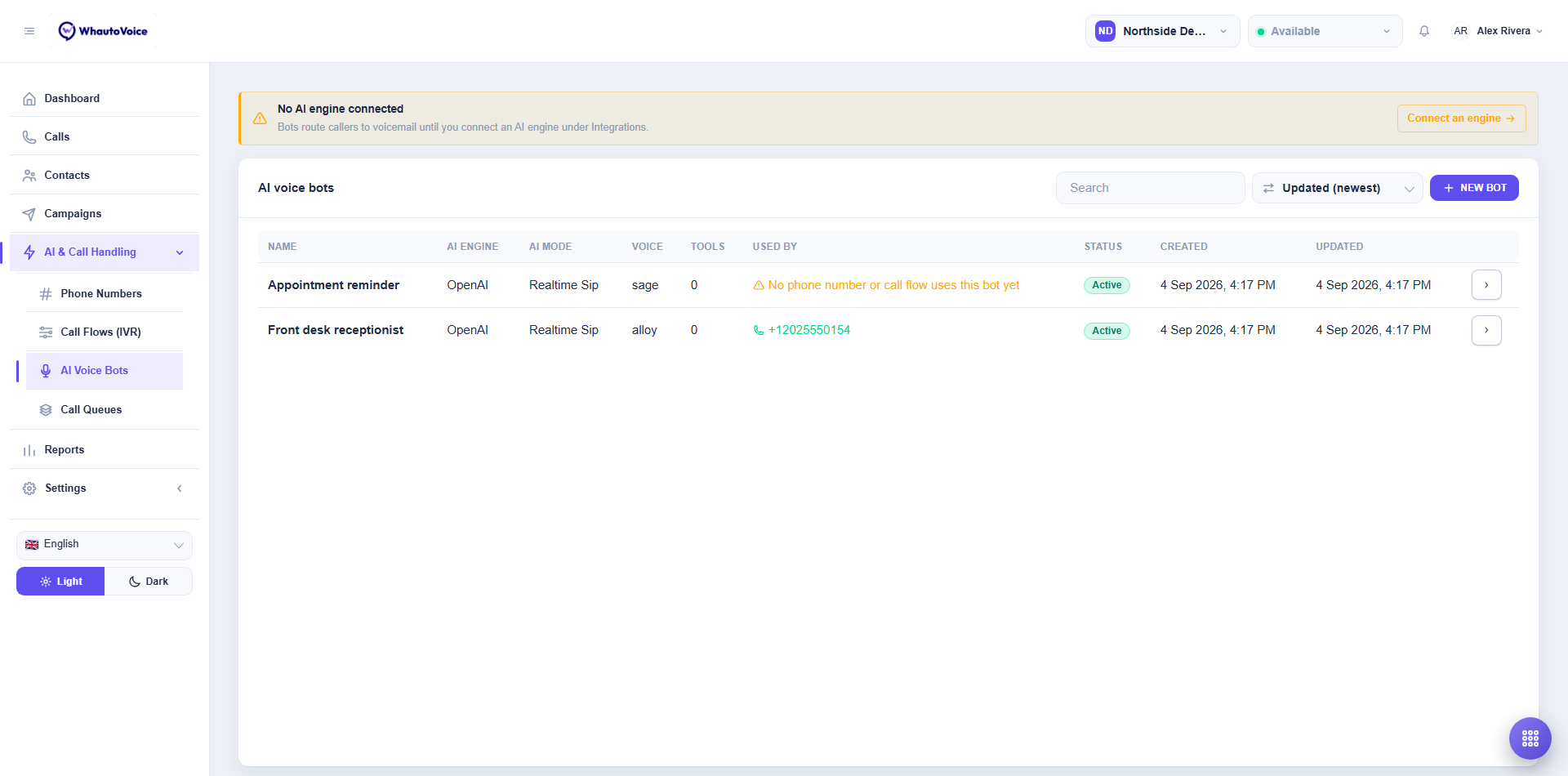
Also check the engine page itself under Settings > Integrations: Connected with a recent Last verified date is what you want. Saved, but not verified means the key was rejected.
2. Is the number routed to the AI agent?
Open Phone Numbers. The When someone calls column must say AI voice agent with your AI agent's name, or Call flow (IVR menu) with a flow that leads to the AI agent. Nothing set - calls are dropped means the number has no routing at all. See Call routing.
3. Is the number registered with the AI agent's engine?
AI agents on xAI Grok, ElevenLabs and Sarvam AI answer only on numbers registered with that engine. A yellow Register with (engine) badge in the AI engines column tells you it is missing. Click it, or open AI engines on the row and click Register. OpenAI does not need this step.
For Indian numbers on ElevenLabs, the India region must be connected as well.
4. Is the flow active?
If the number points at a call flow, open Call Flows (IVR). The flow must show Active, not Draft, and the row must not say "No phone number points at this flow yet". Open the builder and click Activate; fix anything listed under Fix these before activating.
5. Is the AI agent active?
On the AI agent list the Status column should say Active. Open the AI agent and check the AI engine picker does not show "This engine is not connected yet".
6. Has the minute allowance run out?
Open Settings > Subscription & usage. If Minutes this cycle is at the limit, inbound calls are refused until the cycle resets or you add a block of minutes. See Usage and allowances.
7. Is the telephony provider still verified?
Open Settings > Integrations and the provider card. A rotated auth token or a suspended provider account shows as Saved, but not verified. Paste the new credentials and Save & verify.
8. Read the call
Open the call under Calls and check the Timeline tab. It shows where the call went after it arrived. An AI handoff reason on the header means the AI agent did answer and then transferred.
After each fix, call the number from a mobile. If you hear the greeting, the AI agent is live. If you hear the voicemail prompt, go to the next item.
Related
Email us at hello@whautovoice.com and we will get you sorted.