Tags and segments
Tags are labels on a contact. Segments are saved audiences built from tags. Between them they decide who a campaign dials and how your team finds people.
Where tags are used
- On the contact page and in the contact list filter.
- In bulk actions (Add tag, Remove tag).
- By AI voice agents with the add_contact_tags tool, for example to mark a confirmed or cancelled appointment.
- By call flows through the Run an automation action step.
- As a campaign audience (By tag) and inside segments.
Manage tags
Open Settings > Manage data lists.
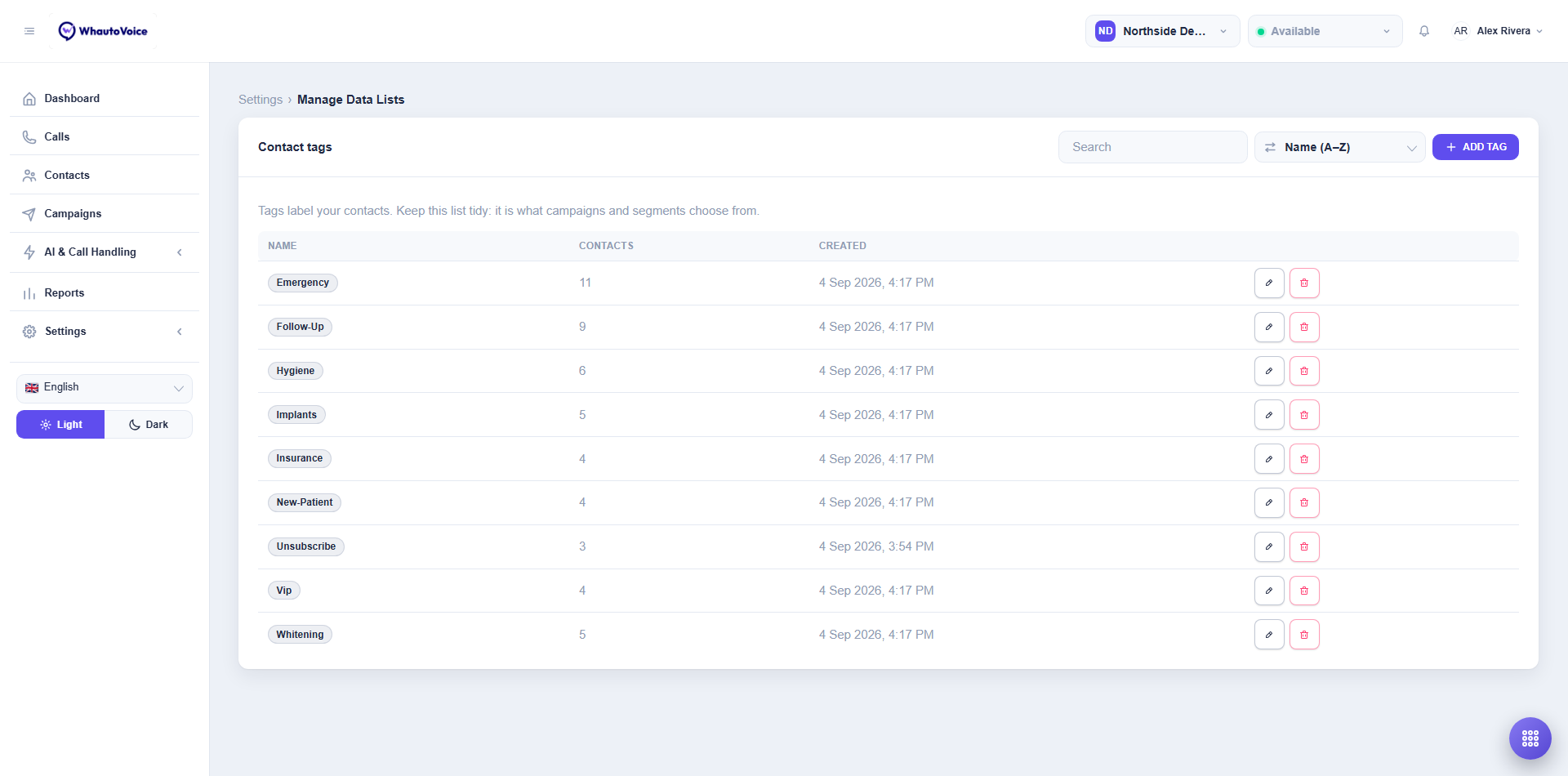
- Add tag: type a name such as
vipand save. Tag names are unique per account and matched exactly on contacts, so decide on lower case with hyphens and stick to it. - The Contacts column shows how many contacts carry the tag.
- Edit tag renames it. Deleting a tag removes it from this list only; contacts keep the label until you remove it from them.
Keep this list tidy. It is what campaigns and segments choose from.
Segments
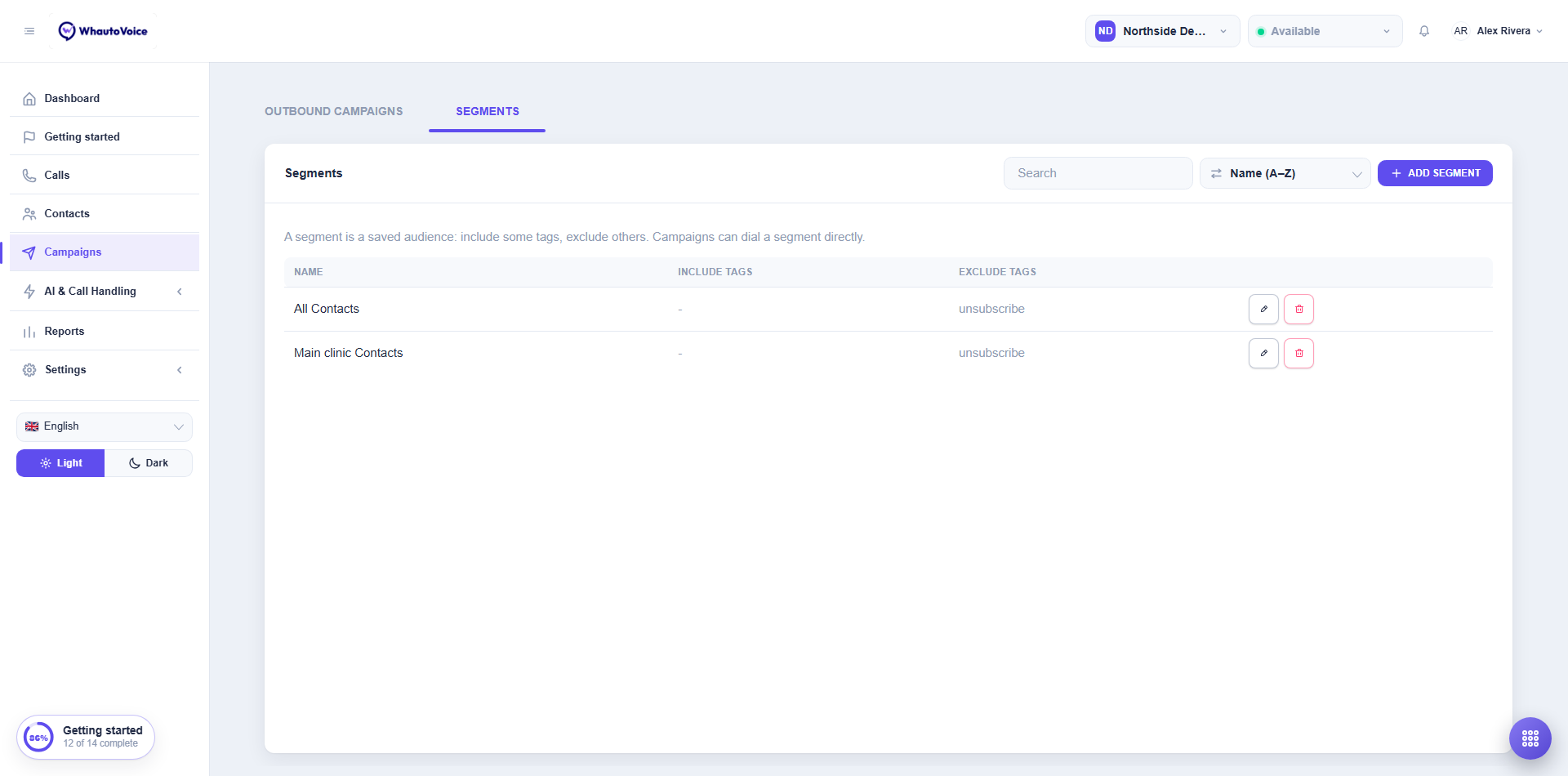
A segment is a saved audience: include some tags, exclude others. Campaigns can dial a segment directly, and the contact list can filter by one.
Segments live in two places: the Segments section of Manage data lists, and the Segments tab on the Campaigns page. They are the same list.
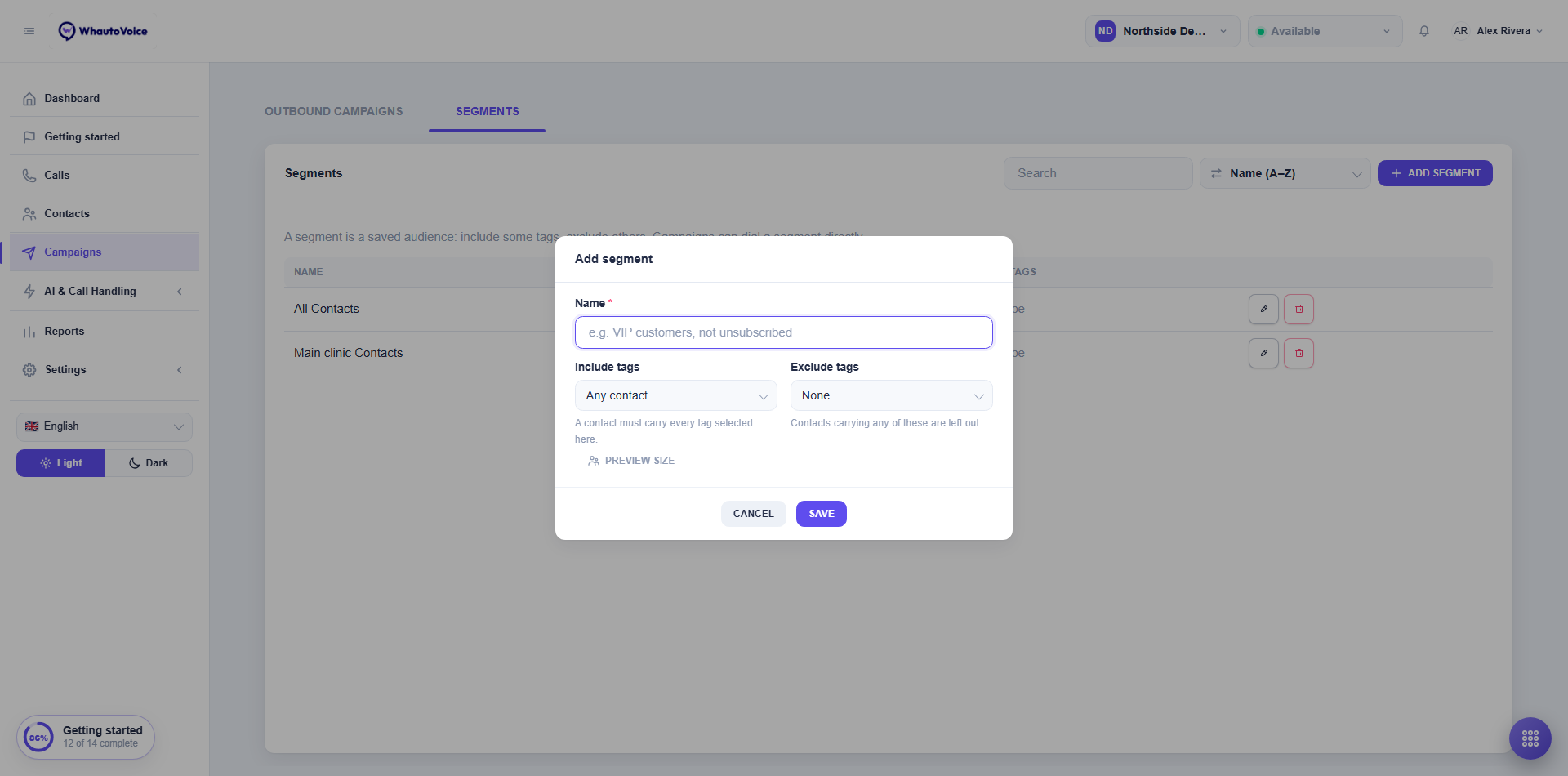
- Click Add segment
- Name it
- For example "Hygiene recalls, not unsubscribed".
- Pick Include tags
- A contact must carry every tag selected here. Leave it empty for Any contact.
- Pick Exclude tags
- Contacts carrying any of these are left out.
- Check Preview size
- It shows how many contacts match right now.
- Save
Deleting a segment does not affect campaigns that are already running.
The unsubscribe tag
The unsubscribe tag keeps a contact out of the segments that exclude it:
- The default segments created with each workspace exclude it.
- The outbound AI agent templates tag a contact
unsubscribewhen they ask to be taken off the list. - Add it yourself from the contact page or a bulk action when someone asks by email or in person.
For calls, the Do not call list is the stronger opt-out: a number on it is never rung by any campaign, whatever segment it is in, and a number added while a campaign runs is skipped from its next call on.
A campaign copies its audience the first time it starts. Contacts tagged afterwards are only added when the campaign's Keep adding new contacts who match option is on. Numbers put on the do-not-call list afterwards are always skipped.
Related
Email us at hello@whautovoice.com and we will get you sorted.