Contact pipeline
The pipeline is a board view of your contacts, one column per stage. Drag a card to move a contact forward, and see at a glance how many people sit at each step.
Open the board
Go to Contacts and click Pipeline next to List.
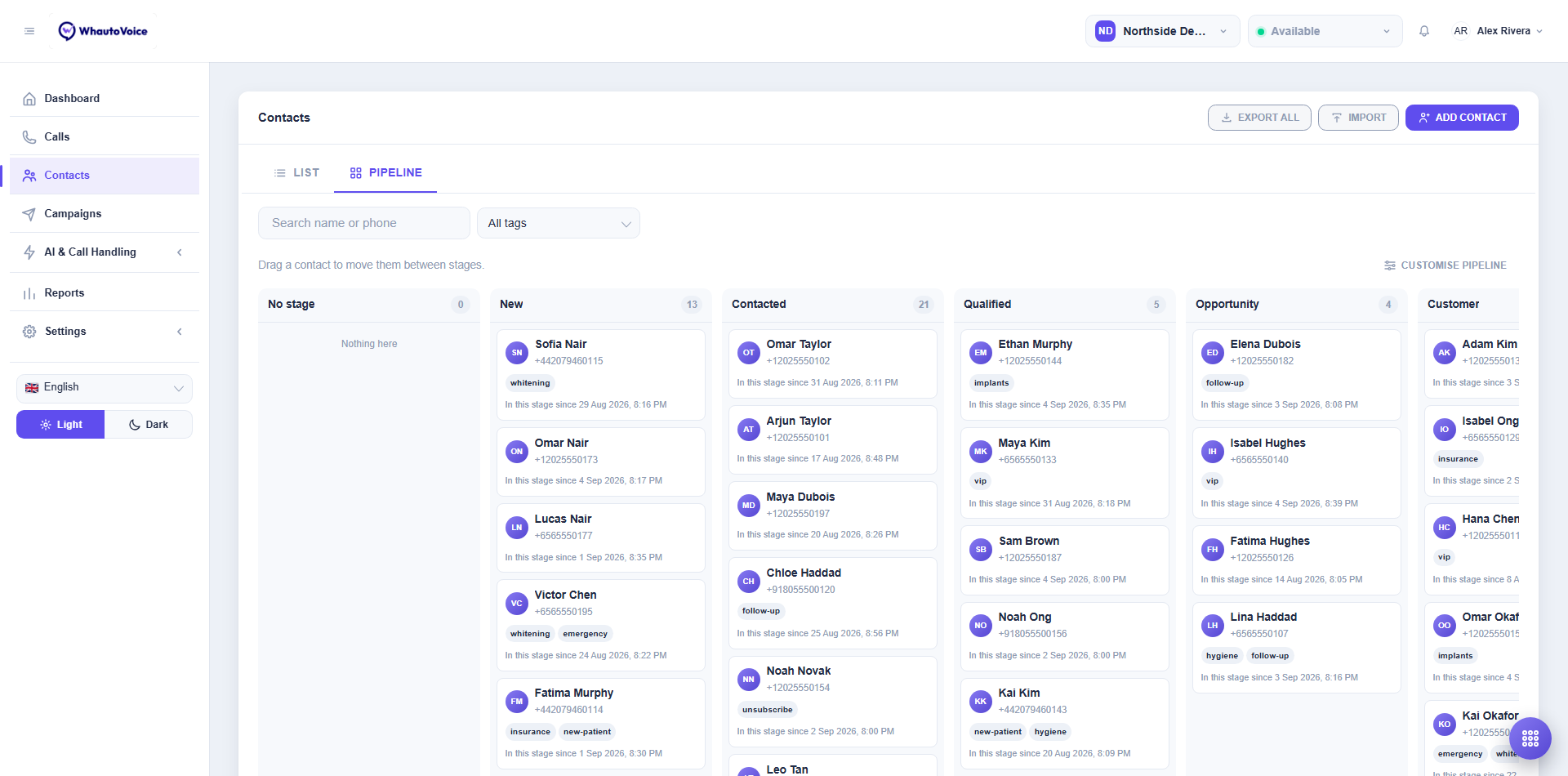
- Each column is a stage with the number of contacts in it. No stage holds contacts that have not been placed.
- Each card shows the name, phone, tags and In this stage since date.
- Long columns collapse behind N more. Click Show more to expand.
- The search box and All tags filter work here too.
Move a contact
Drag a card from one column to another. The stage and its date update immediately. You can also set the stage from the contact page (Stage on the Details tab) or for many contacts at once with the Update stage bulk action.
Default stages
New workspaces start with New, Contacted, Qualified, Opportunity, Customer and Lost. A clinic might prefer Enquiry, Consultation booked, Treatment plan, In treatment, Recall and Inactive. Rename them to whatever your team says out loud.
Customise the pipeline
Click Customise pipeline at the top right of the board.
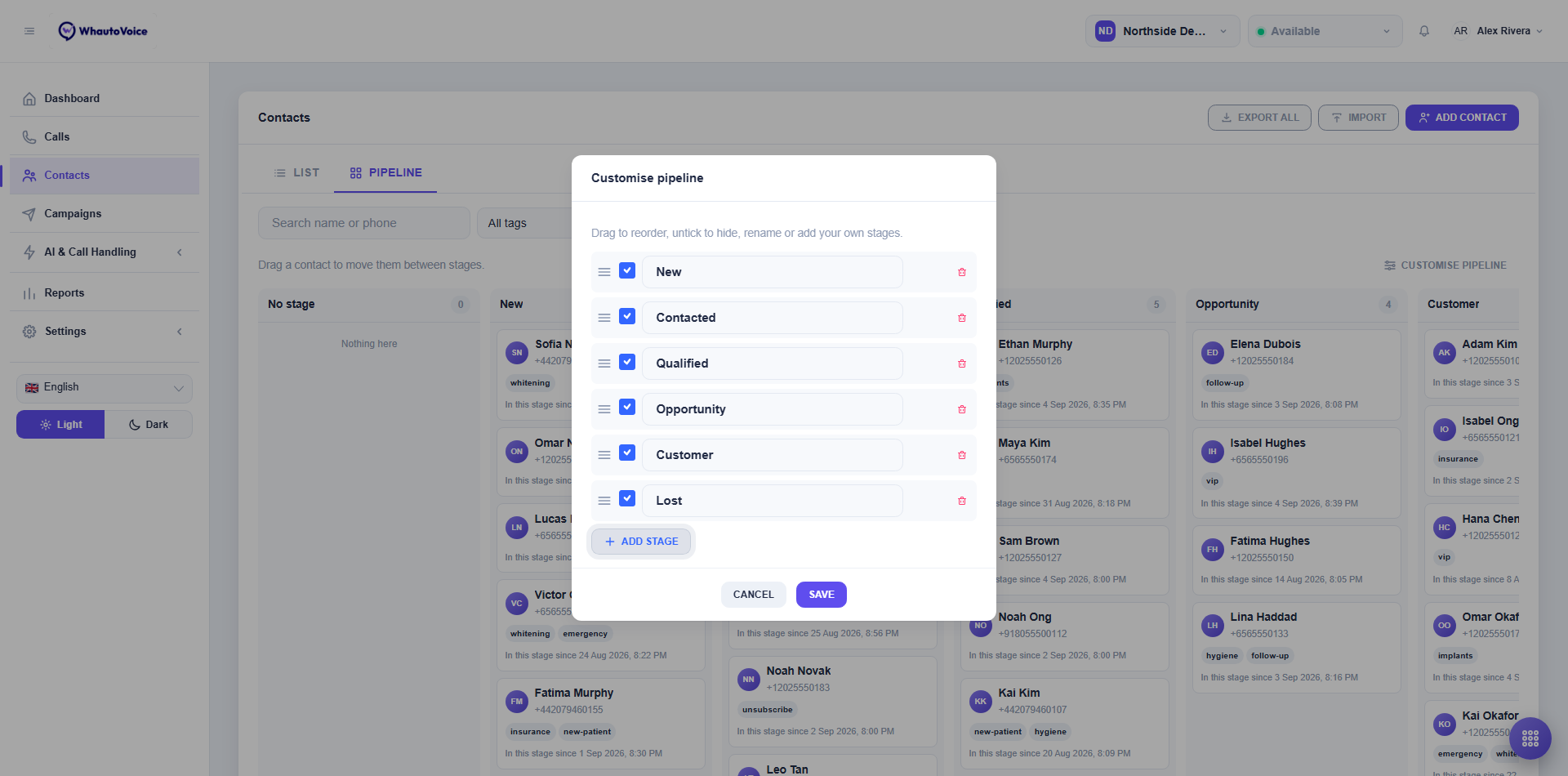
- Drag a stage to reorder.
- Untick Show on the board to hide a stage without deleting it.
- Edit the Stage name to rename. Contacts keep their place, because the stage is stored by an internal value, not by the name.
- Add stage creates a new one.
- Remove a stage with the bin icon. Saving then shows a warning: contacts in a removed stage go back to No stage.
- Keep at least one stage.
Click Save. Stages are shared across the whole account, so everyone sees the same board.
Using stages elsewhere
- Segments can be built on a stage as well as on tags.
- A call flow's Run an automation action step can set a stage, for example moving a caller who pressed "book an appointment" to Contacted.
- An AI agent with the Update contact stage tool ticked can move the caller during a call. Name the stage and when to use it in the agent's instructions. See AI agent tools.
- Reports do not aggregate by stage; export contacts under Settings > Data exports if you need that.
Related
Email us at hello@whautovoice.com and we will get you sorted.