Call queues
A call queue is a named group of agents plus a rule for the order in which to ring them. Point a phone number, a call flow step or an AI voice agent's handoff at a queue and every call that reaches it hunts through the members until someone picks up.
Before you start
- Invite the agents first under Settings > Team. A queue can only hold people who are already members of the workspace.
- You need the Owner or Administrator role to create or edit queues.
The queue list
Open AI & Call Handling > Call Queues. Each row shows:
| Column | Meaning |
|---|---|
| Name | What the queue is called. Click the row to edit it. |
| Strategy | Round robin or Least busy, explained below. |
| Members | How many agents are in it. A queue with nobody in it shows a warning triangle and 0, with the hint No members - calls sent here ring nobody. |
| Used by | The numbers, call flows and AI voice agents that route calls here, or Nothing routes here yet. |
| Default | A toggle marking the workspace's default queue. Exactly one queue is the default. |
| Created and Updated | When, and by whom. |
Use the Search box to filter by name and Sort by to order the list. The two icons at the end of each row are Delete and Edit.
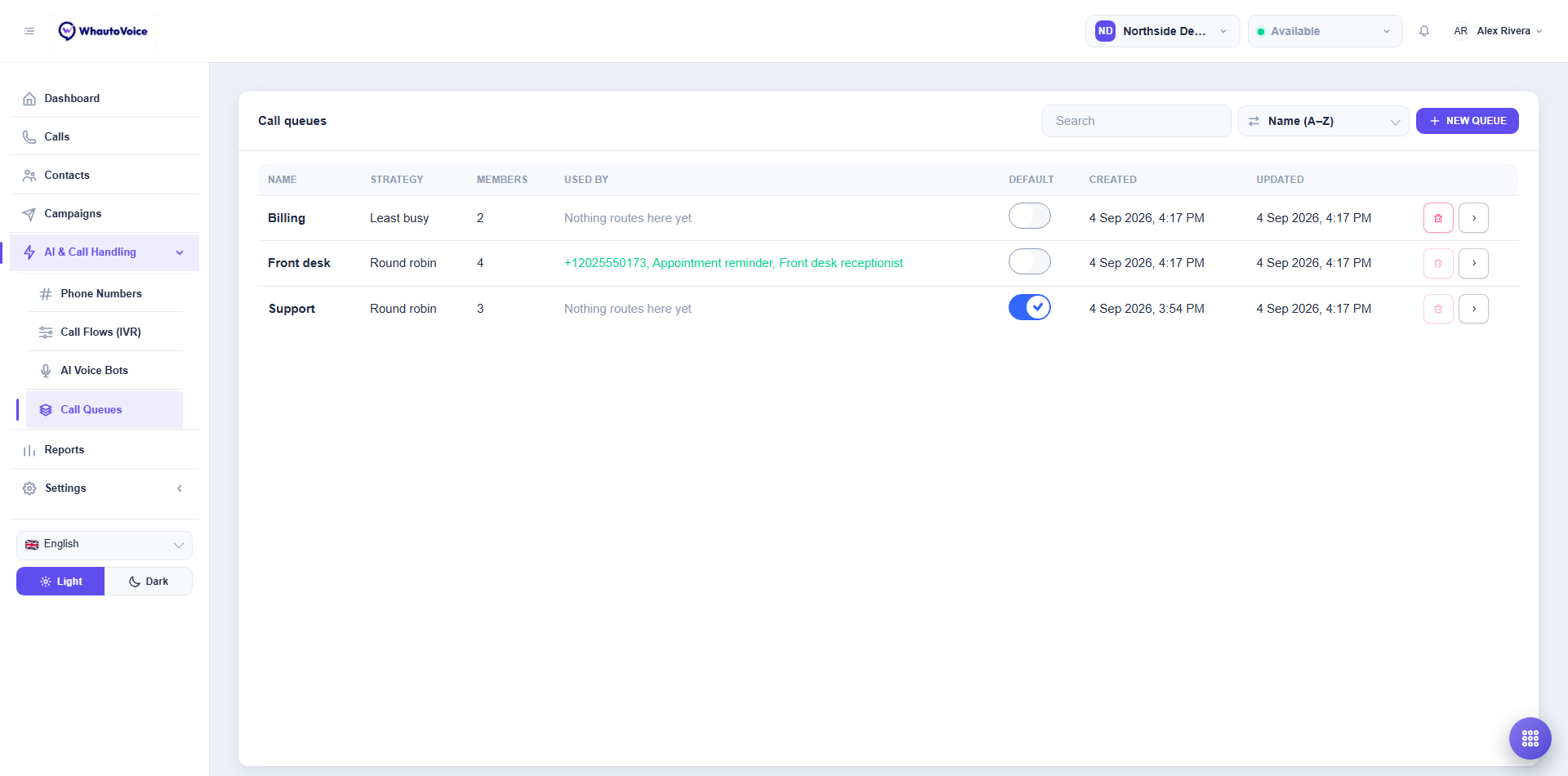
Northside Dental runs three queues: Billing on Least busy with two members, Front desk on Round robin with four, used by a number, the Appointment reminder campaign AI agent and the Front desk receptionist AI agent, and Support, which is the default.
Create a queue
-
Click New queue
- The New queue dialog opens.
-
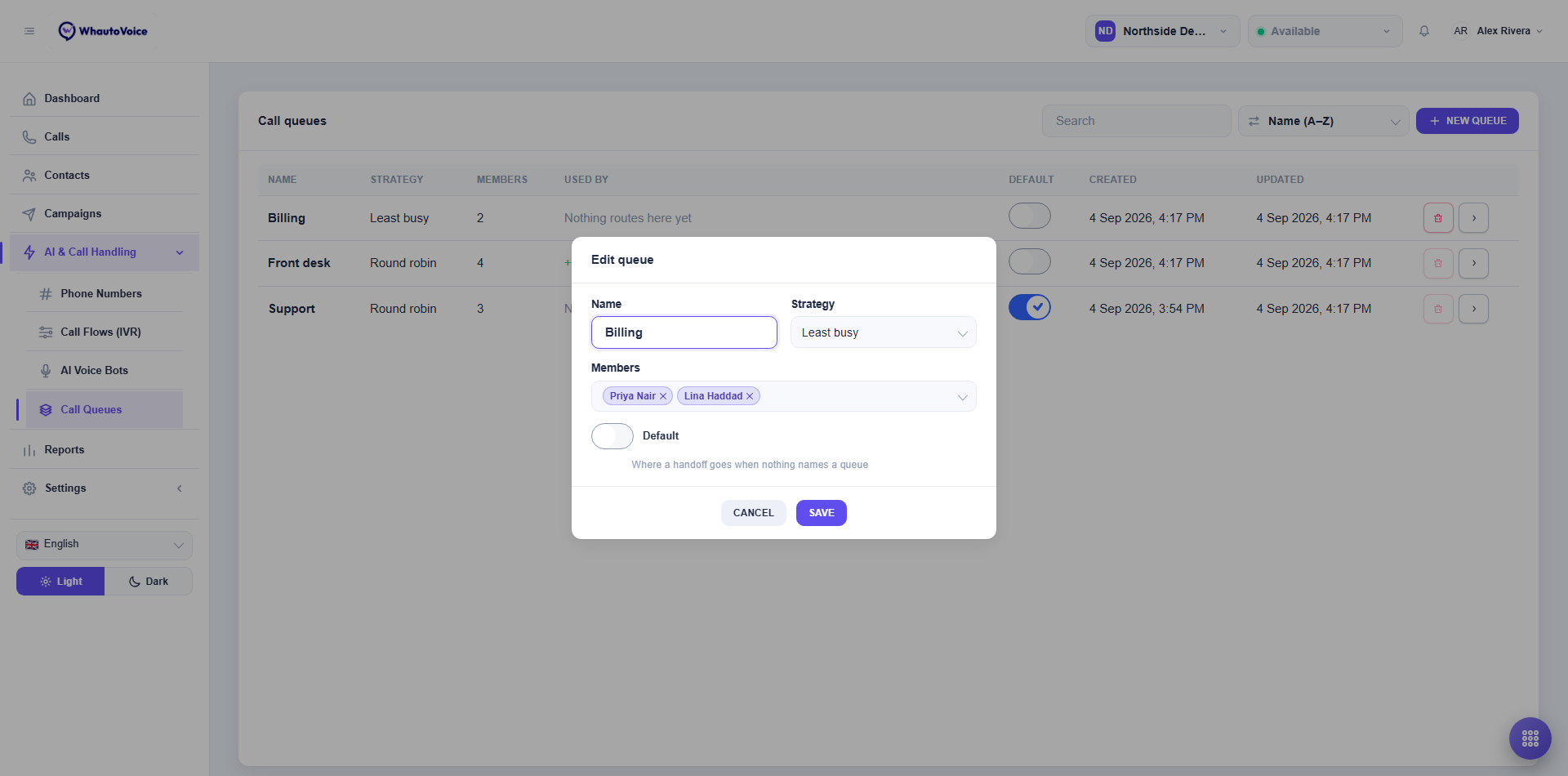
Name it
- Enter a Name such as Support, Billing or Front desk. Keep it short: it appears in the softphone's transfer panel and in reports.
-
Add Members
- Open Members and tick the agents who should take calls from this queue. Each one appears as a chip; click the cross on a chip to remove them. At least one member is required.
-
Choose a Strategy
- Round robin rings members in turn. The queue remembers who took the last call and starts the next hunt with the person after them, so calls are shared out evenly over the day.
- Least busy rings whoever has handled the fewest calls today. Use it when some agents also do other work and you want the quiet ones to pick up first.
- Whichever strategy you choose, only members who are Available or in Wrap-up are rung, and Available members come before Wrap-up ones. See Presence and availability.
-
Decide whether it is the Default
- Switch on Default if this is the queue that should catch calls when nothing else names one. The hint reads Where a handoff goes when nothing names a queue.
-
Click Save
- The toast Queue updated confirms it.
The default queue
When an AI voice agent hands a call to a human and the AI agent has no Human handoff queue of its own, the call goes to the default queue. The same happens for any handoff that does not name a queue.
The first queue you create becomes the default. To change it, switch on the Default toggle on another queue in the list, or open that queue and switch on Default in the dialog. The flag moves; you never have to switch it off anywhere. On the queue that currently holds it the toggle is disabled with the note This is the default queue - make another queue the default to change it.
A queue with no members rings nobody, and a queue whose members are all Busy or Offline rings nobody either. In both cases the caller falls through to the number's fallback, usually voicemail. Keep at least one person on the roster of every queue that is in use.
Where queues are used
- Number routing. Under AI & Call Handling > Phone Numbers, set a number's routing to Call queue and pick the queue. Every call to that number goes straight to the hunt.
- Call flow step. In a call flow, the Call queue step in the Send the call group hands the caller to the queue you choose, for example after they press 2 for Billing.
- AI agent handoff. In an AI voice agent's Basics tab, Human handoff queue chooses where the AI agent sends callers who ask for a person. Leave it empty to use the default queue.
- Transfers. Agents can transfer a live call To a queue from the softphone. The queue's own strategy decides who rings.
Everything that points at a queue is listed in its Used by column, so you can see at a glance what a change will touch.
Delete a queue
Click the red bin icon at the end of the row and confirm. The button is disabled while a number, flow or AI agent still routes here; the tooltip tells you what is using it. Repoint those first, then delete. Deleting a queue cannot be undone, but calls it handled stay in Call history.
Related
Email us at hello@whautovoice.com and we will get you sorted.