Workspaces
A workspace is a complete phone system inside your account. Create one per location, brand or client and each keeps its own numbers, provider keys, AI agents, flows, queues and calls. This page explains what lives inside a workspace, how to create and switch, and what your plan allows.
What a workspace holds
Think of a workspace as one front desk. Everything that rings, answers or reports on calls is per workspace:
- Phone numbers and their routing.
- Telephony provider credentials (Telnyx, Twilio, Plivo, Vonage) and AI engine keys.
- AI voice agents and call flows.
- Call queues and business hours.
- Calls, recordings, transcripts and reports.
Some things belong to the account and are shared by every workspace:
| Shared across the account | Separate per workspace |
|---|---|
| Contacts, tags, segments and pipeline stages | Phone numbers and routing |
| Team members and their roles | Provider and AI engine credentials |
| Your subscription plan and add-ons | AI voice agents and call flows |
| Your profile, preferences and security settings | Call queues and business hours |
| Calls, recordings, transcripts and reports |
A contact who calls your Dubai number and your Singapore number is the same contact in both workspaces, with one history. An agent is one person across the account and is simply given access to the workspaces they work in.
Your first workspace
The first workspace is created automatically when you sign up and takes its name from the Company name you entered. There is nothing to set up. It becomes the workspace you land in every time you log in.
Creating another workspace
Only Owners and Administrators can create workspaces.
- Open the workspace switcher
- Click the workspace chip in the header (initials and name, top right). The menu lists every workspace you can open under Switch workspace, with New workspace underneath.
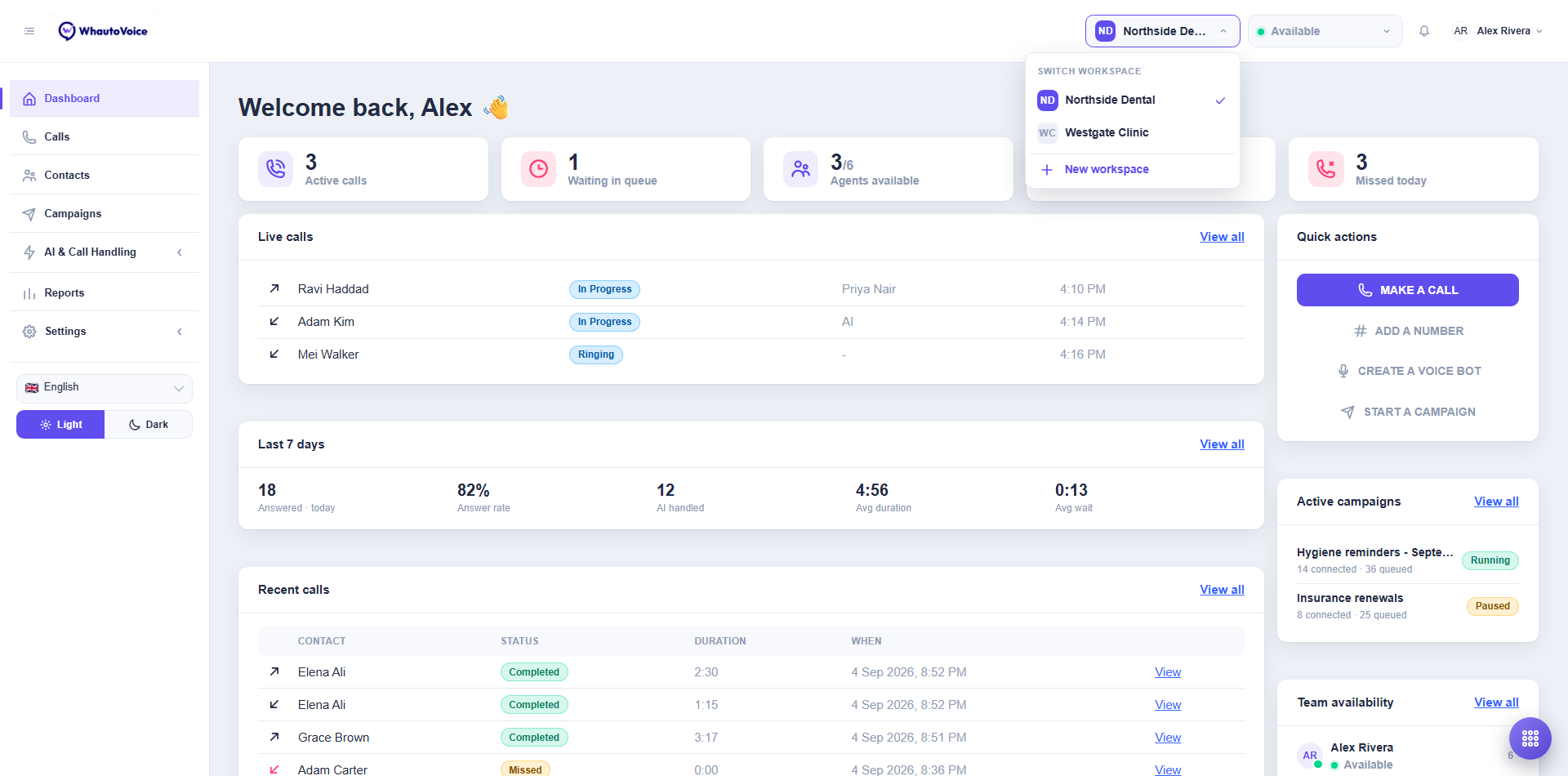
- Click New workspace
- The Create a workspace page opens with the note "A workspace holds its own numbers, queues, AI voice agents and calls. Create one per location, brand or team." Like the sign-in page, it has the language selector and the light or dark toggle in the top right, and Log out beside them.
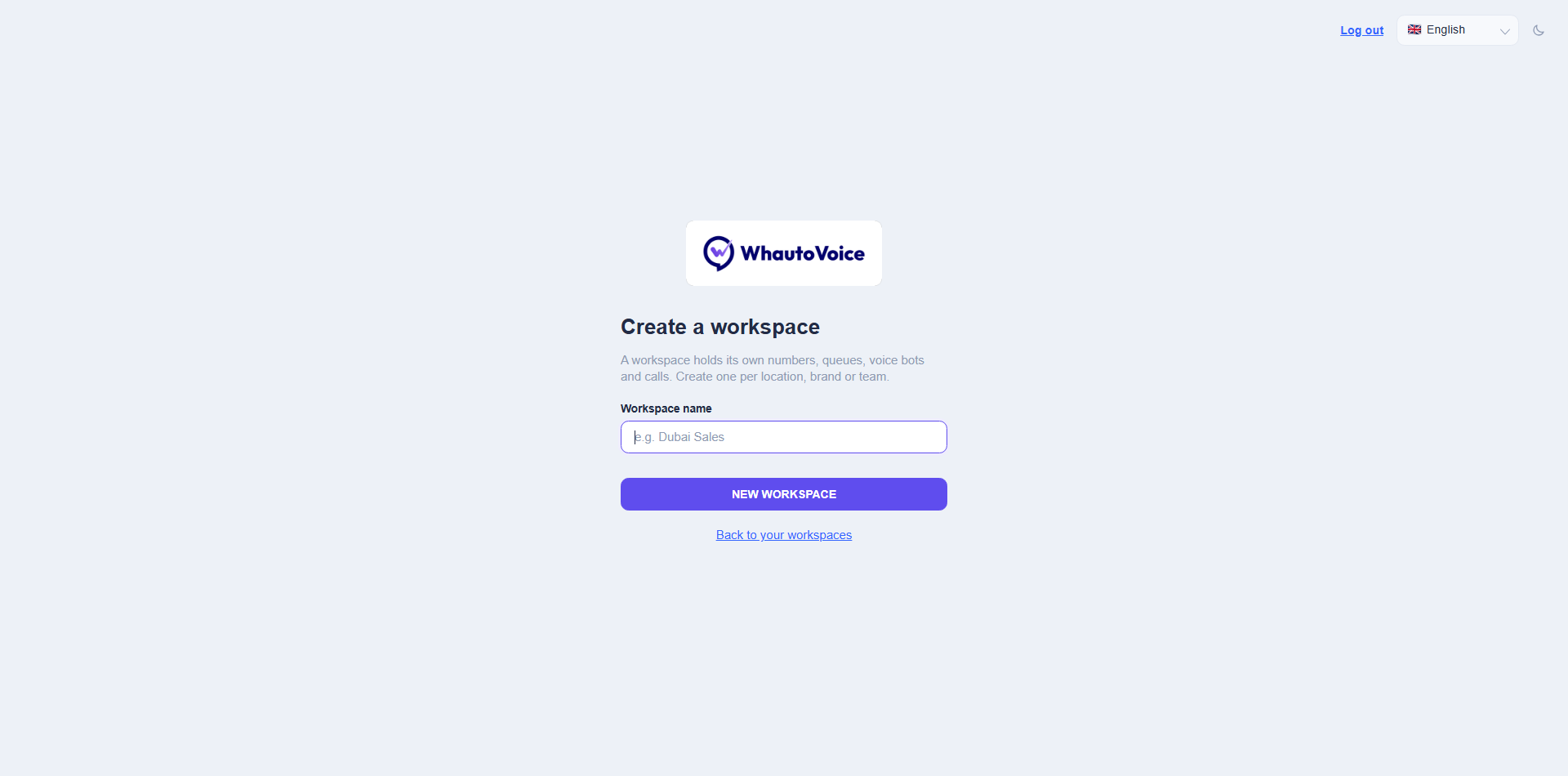
- Name it
- Type a Workspace name, for example "Dubai Sales" or "Client: Harbour Clinic", and click New workspace. You will see Workspace created and the app switches you into it. Back to your workspaces returns to the picker without creating anything.
- Set it up
- The new workspace is empty. Connect a provider under Settings > Integrations, add a number and create an AI agent, exactly as you did for the first one. Follow the Quick start if you like.
Credentials are not copied between workspaces. If two workspaces should use the same Twilio account, connect it in each. This is what lets an agency keep every client's carrier bill separate.
Switching workspaces
Click the workspace chip and choose a name under Switch workspace. The dashboard, calls, numbers and reports all change to that workspace. Your presence and softphone follow you, so an Available agent is rung for calls in whichever workspace they currently have open.
If you belong to several workspaces, you may see a Select a workspace page at login. Click Open on the one you want. Owners and Administrators also find New workspace at the bottom of this page.
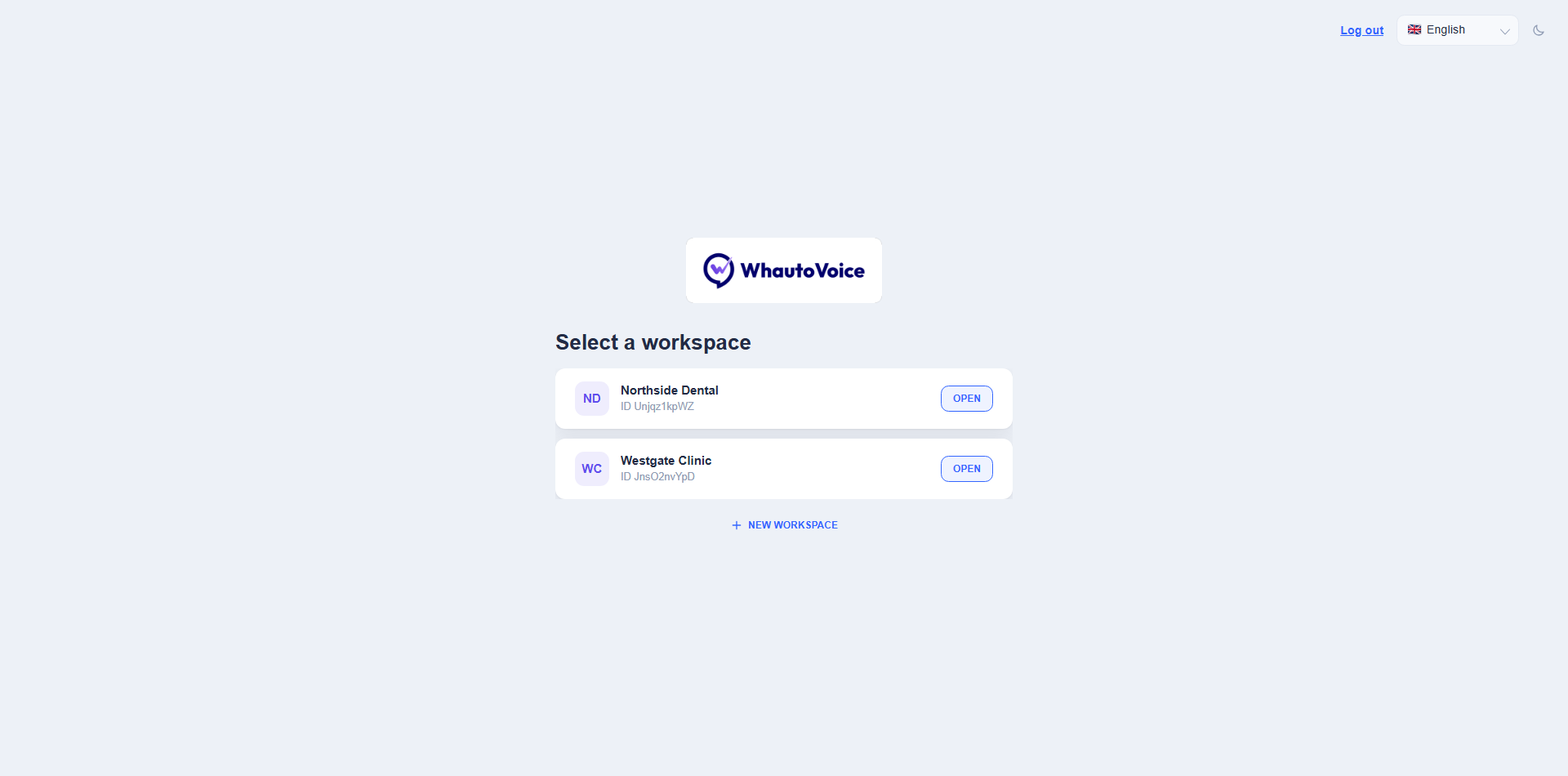
If you see "You do not have access to any workspace yet. Ask an administrator to add you.", an Owner or Administrator needs to add you to a workspace from Team.
How many workspaces you can have
| Plan | Workspaces included |
|---|---|
| Starter | 1 |
| Growth | 3 |
| Scale | 10 |
Need more? The +3 workspaces add-on is US$59 a month on any plan and includes 5 extra phone numbers. For more than 10 workspaces, email hello@whautovoice.com about an Enterprise plan. See Understanding subscription plans.
Who can open which workspace
Access is set per team member, not per workspace.
- Open Team
- In the sidebar choose Settings > Team.
- Edit the member
- Click Edit on the person and look for the Workspaces field ("The workspaces this member can open"). Tick every workspace they should see. At least one is required.
- Save
- The change applies the next time they open the switcher.
Owners and Administrators are usually given every workspace. Agents are often limited to the one location or client they handle. See Adding team members and User roles and permissions.
Name workspaces the way your team talks about them: "Main clinic", "Dubai Sales", "Client: Harbour Clinic". The initials in the header chip are generated from the name, so short distinct names are easier to tell apart at a glance.
Related
Email us at hello@whautovoice.com and we will get you sorted.