Reports and analytics
Reports turns your call history into the numbers a supervisor asks for: how many calls, how many were answered and how fast, how much the AI handled on its own, and who or what carried the load.
Choosing a period
The selector at the top offers the last 7, 30 and 90 days. Every tile and tab below it follows the selection. Data is rolled up once a day, so a brand new workspace shows "No report data yet - daily rollups appear after the first day of calls" until tomorrow.
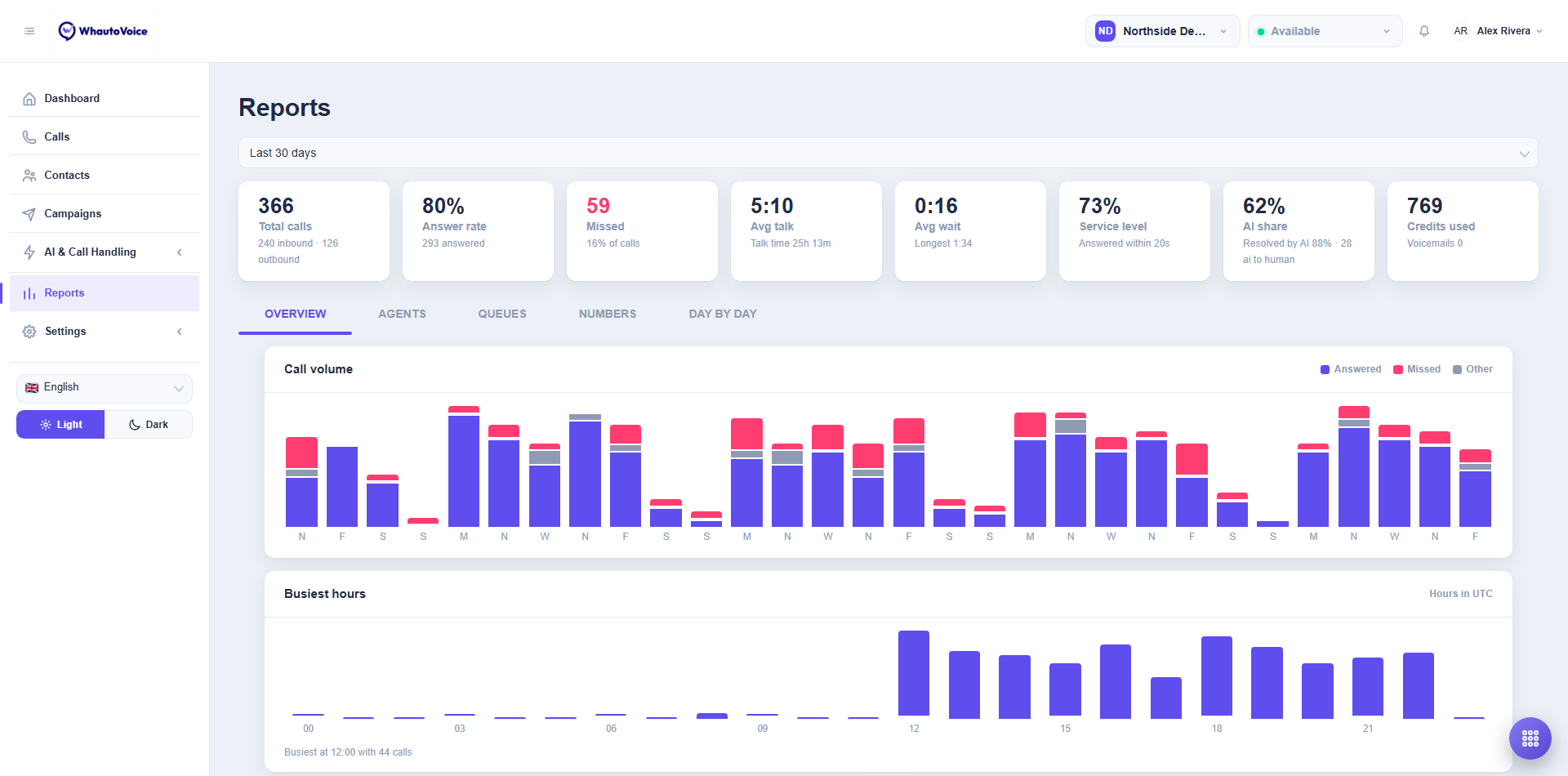
The headline tiles
| Tile | How it is calculated |
|---|---|
| Total calls | Every call in the period, split into inbound and outbound underneath. |
| Answer rate | Answered calls divided by total calls. A call counts as answered when a person or an AI agent picked up. |
| Missed | Inbound calls nobody answered, plus busy and no-answer outcomes, and the share of all calls they represent. |
| Avg talk | Average length of answered calls, with total Talk time underneath. Unanswered calls are left out so they do not drag the average down. |
| Avg wait | Average time from the call arriving to someone picking up, with the Longest wait underneath. |
| Service level | The share of answered calls picked up within 20 seconds. |
| AI share | The share of calls an AI voice agent handled, including calls it later handed to a person. |
| Resolved by AI | Of the AI calls, how many ended without a handoff. The count of handoffs ("ai to human") is shown underneath. |
| Voicemails | Calls that ended in a voicemail, and the share of all calls they represent. |
Overview tab
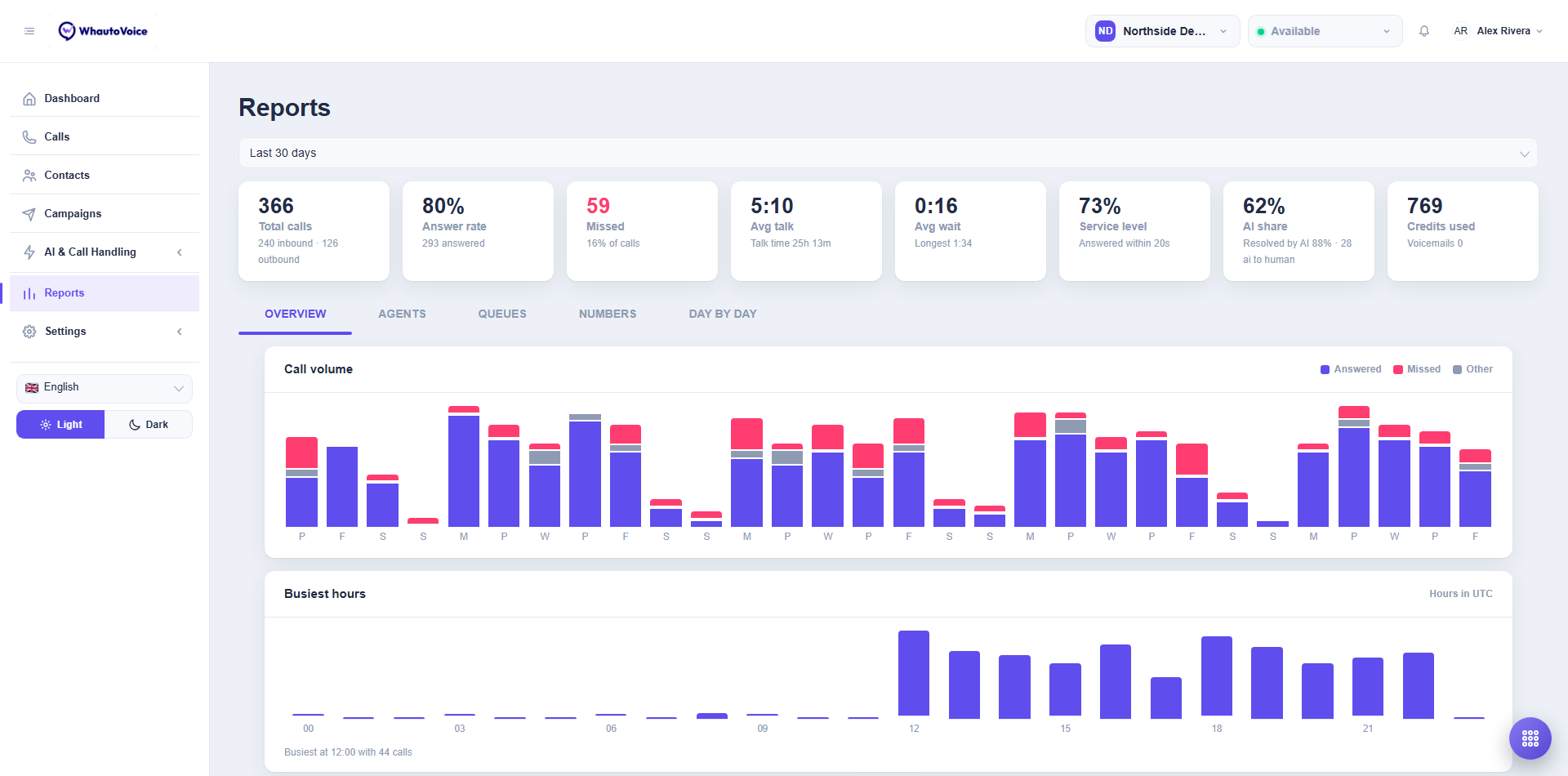
- Call volume: one bar per day, stacked as Answered, Missed and Other (failed, busy, cancelled).
- Busiest hours: calls per hour of the day, in UTC, with the busiest hour named below the chart. Use it to staff the desk and to set business hours.
- Handled by: the split between AI, queue, agent, IVR and forwarded calls.
- How calls ended: the dispositions your team and AI agents set.
Agents tab
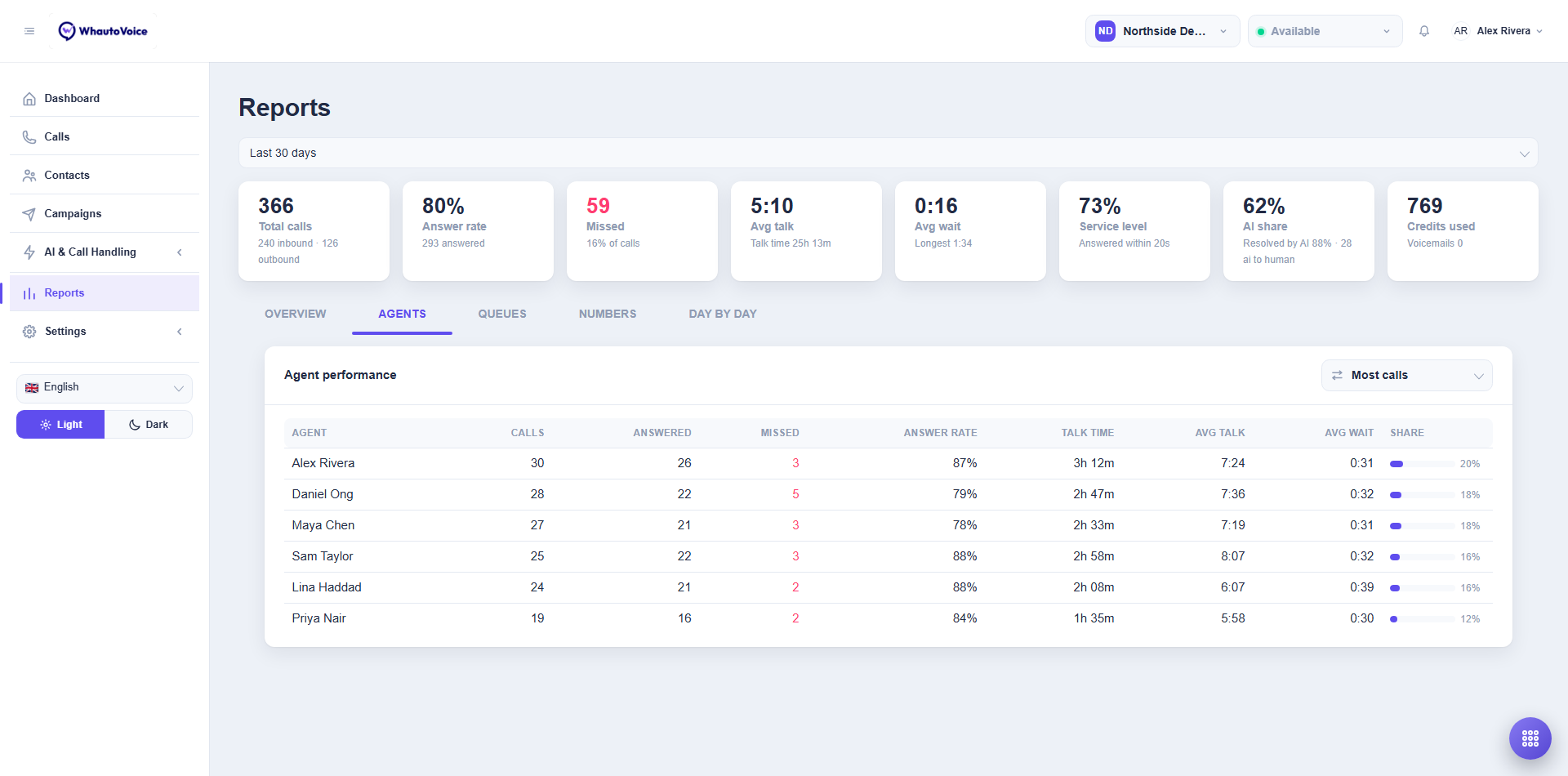
One row per team member with Calls, Share, Answered, Missed and Talk time. Sort by Most calls, Most answered, Most missed or Most talk time. A call counts for an agent when it was assigned to them, whether it came from a queue, a handoff or click-to-call.
Queues tab
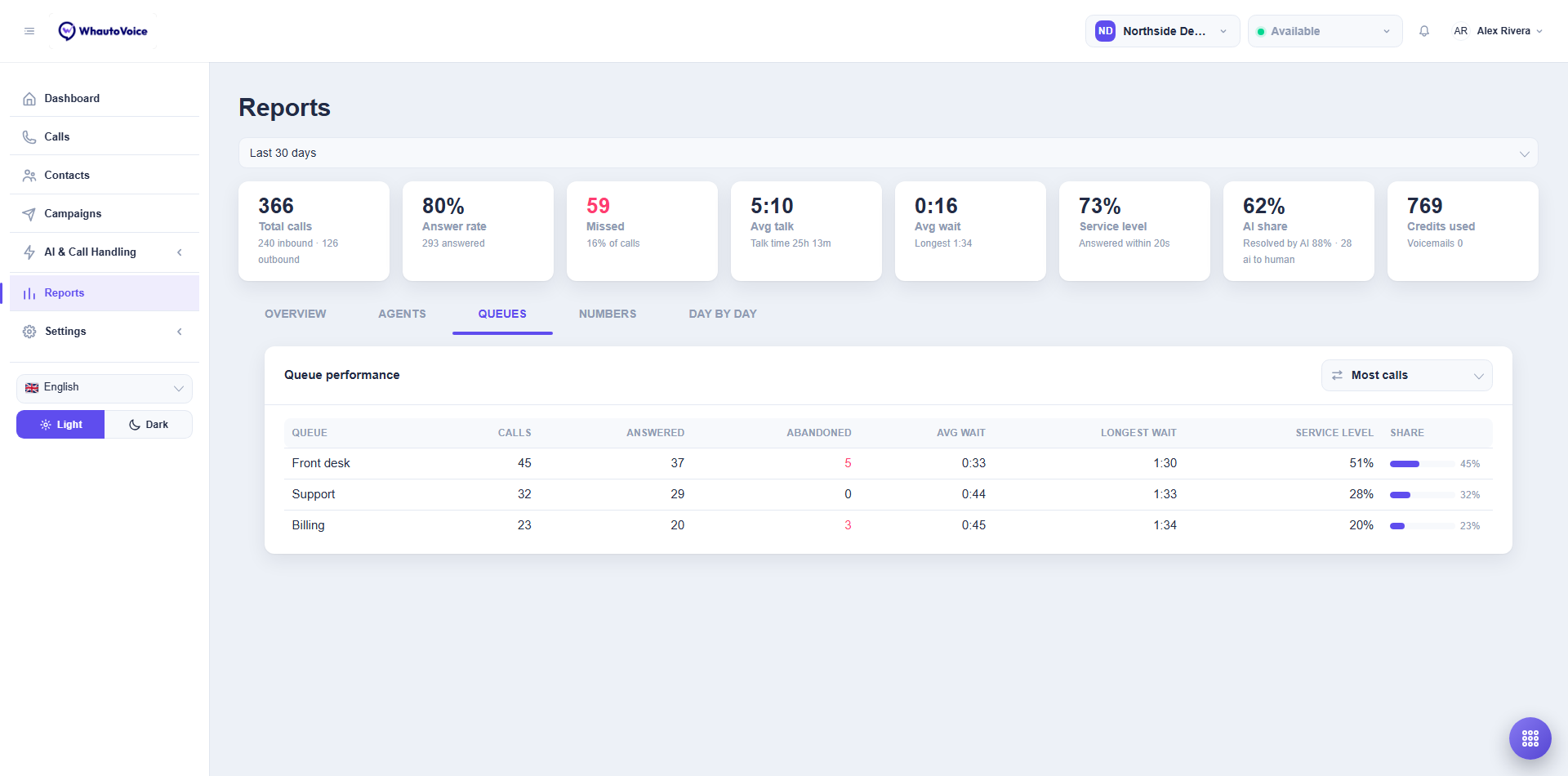
One row per call queue with Calls, Answered, Abandoned (the caller hung up before an agent picked up), Avg wait and Longest wait. Sort by Most abandoned or Longest wait to find the queue that needs another member.
Numbers tab
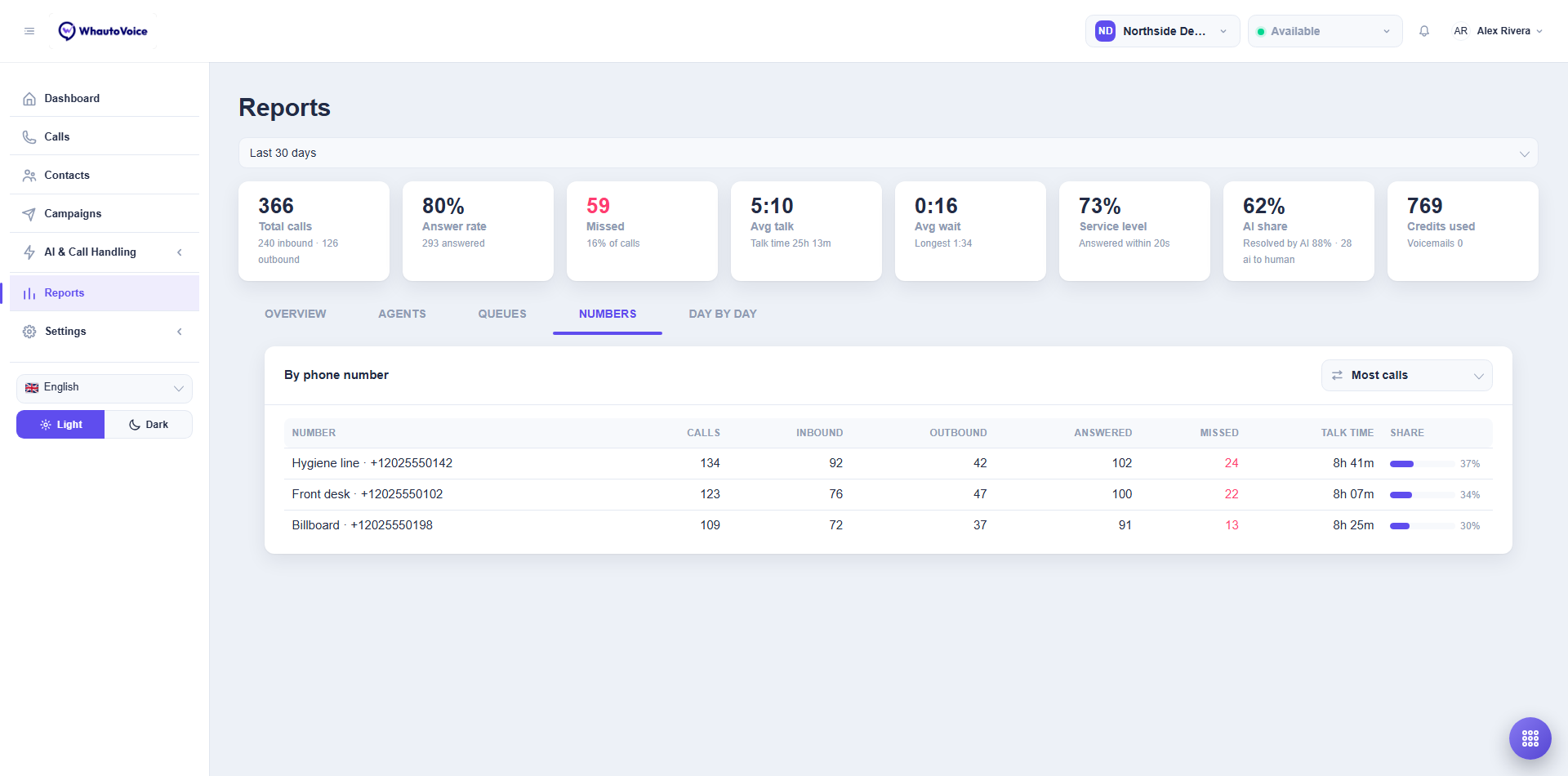
One row per phone number with inbound and outbound counts, answered and missed. Sort by Most inbound or Most outbound. Nicknames from the Phone numbers page are shown here, which is a good reason to name your numbers.
Day by day tab
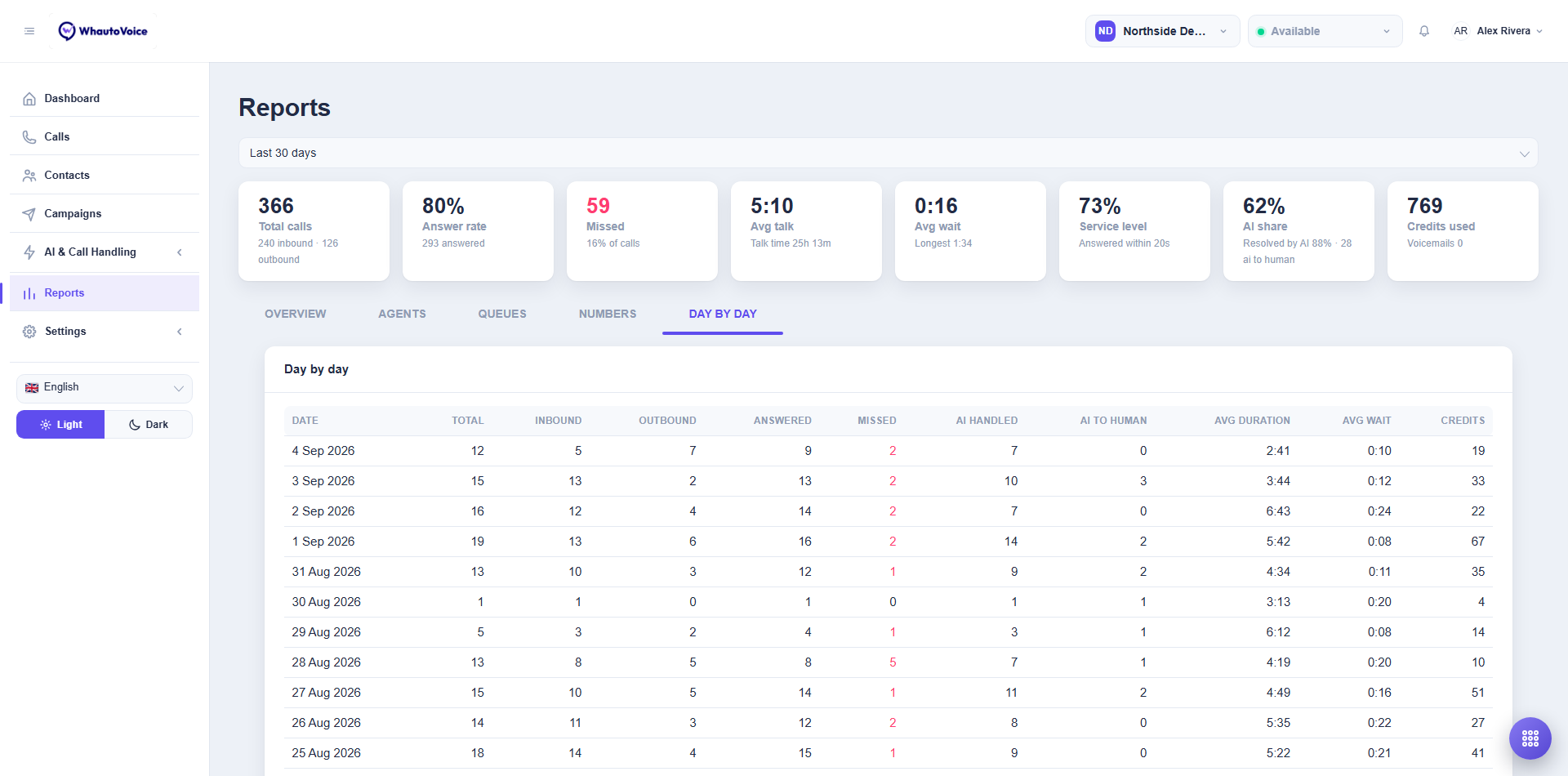
A table with one row per date: Total, Inbound, Outbound, Answered, Missed, AI handled, AI to human, Avg duration and Avg wait. Export the underlying calls under Settings > Data exports if you need the raw data in a spreadsheet.
Who can see reports
Owners and Administrators always can. Agents can open the page too, unless their report access has been revoked on their team profile.
A high AI share with a low Resolved by AI means the AI agent is answering but handing most calls over. Look at the AI handoff reasons on those calls and adjust the AI agent's instructions or give it a tool. See Writing AI agent instructions.
Related
Email us at hello@whautovoice.com and we will get you sorted.