Knowledge bases
Instructions tell an AI agent how to behave. A knowledge base tells it what you actually sell, charge and open. Upload a price list or a services sheet and the agent looks the answer up mid-call instead of saying it does not know.
Use one when the answer is long, changes on its own schedule, or would bloat the instructions: price lists, service descriptions, policies, opening hours, a parking and directions note, an FAQ. Short facts that never change belong in the Instructions instead, where they cost nothing to read.
Before you start
- The engine must be connected. Documents live in your account at the engine, on your key, and are billed there.
- Your documents are not copied into WhautoVoice. The engine holds them, and the Knowledge tab lists what is there live.
Which engines can do this
| Engine | Knowledge | How it works on a call |
|---|---|---|
| OpenAI | Yes | The agent searches when a caller asks something the instructions do not cover. You can allow a whole collection or pick documents inside it. |
| xAI Grok | Yes, with a second key | Same, but whole collections only. Needs a Management API key, added on the xAI integration page. |
| ElevenLabs Agents | Yes | ElevenLabs searches inside its own agent while it talks, so there is no lookup delay on the line. |
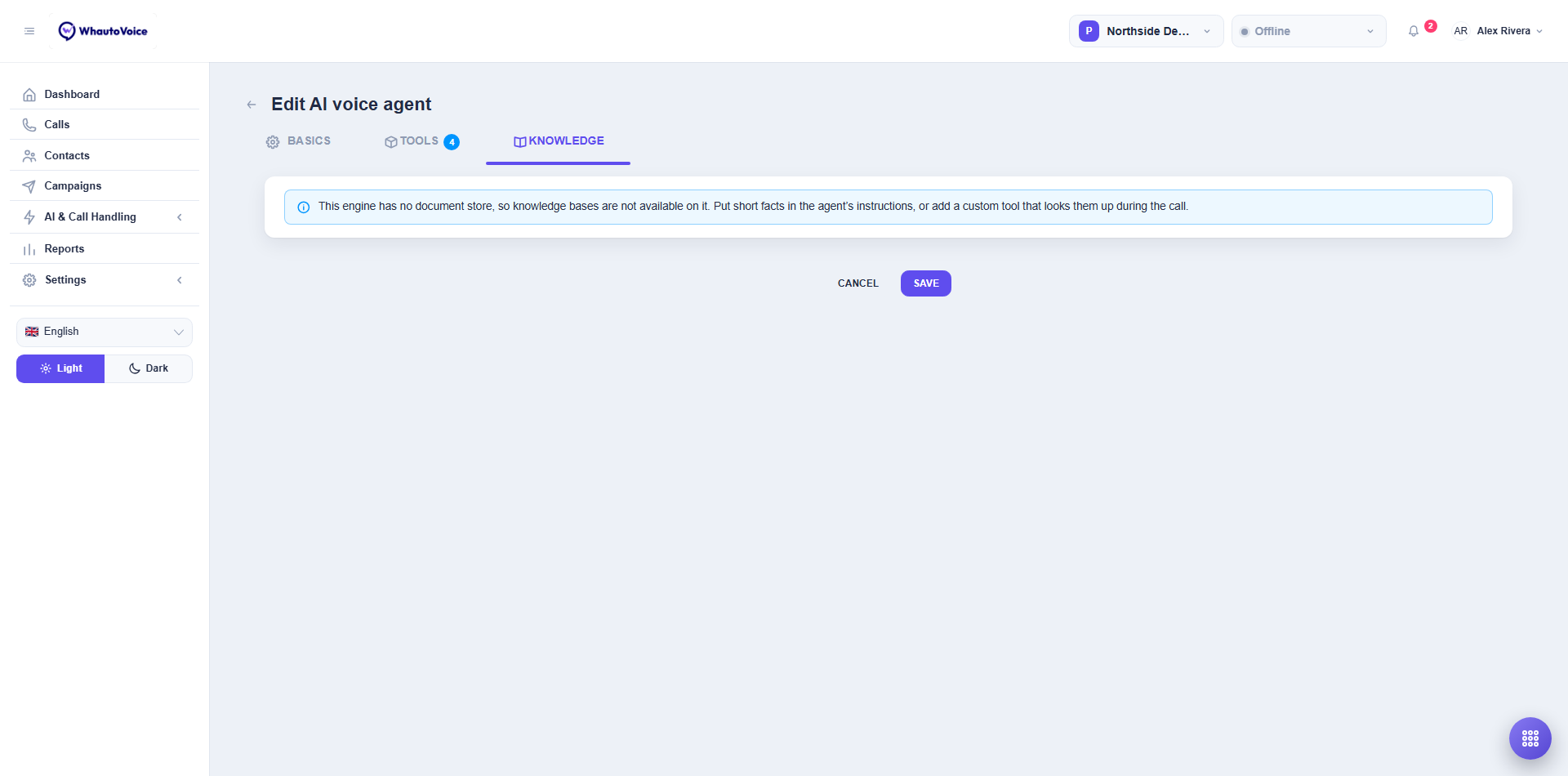
| Sarvam AI | No | Sarvam has no document store. Put short facts in the instructions, or add a custom tool that looks them up. |
Add a knowledge base
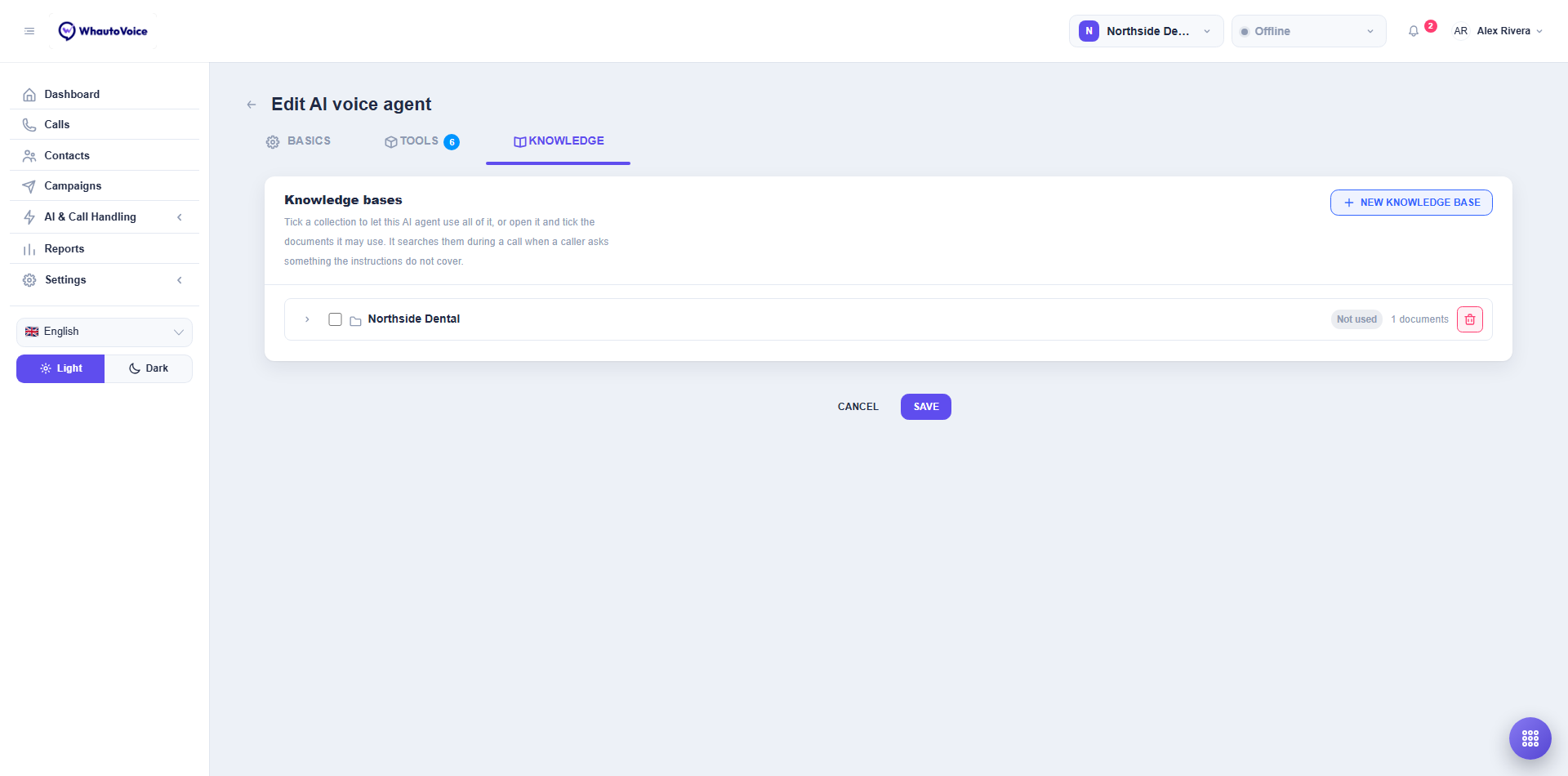
- Open the Knowledge tab
- Open the AI agent and choose the Knowledge tab.
- Create one
- Click New knowledge base and name it. Only you see the name, so group documents the way you would describe them to a caller: Prices and services, Policies.
- Add documents
- Open it and upload. PDF, DOCX, TXT, MD and HTML are accepted, up to 20 MB each. ElevenLabs also takes EPUB.
- Tick what this agent may use
- Tick the collection to allow all of it, or click the arrow to open it and tick individual documents. Each row shows how many documents it holds and whether this agent is using all, a count of them, or Not used.
- Save the AI agent
Deleting a knowledge base here deletes it in your engine account. Removing an agent, or switching it to another engine, never deletes anything: a collection belongs to the engine that issued it, so switching hides that selection and switching back restores it.
Writing documents an AI agent can read aloud
The agent reads what it finds out loud, so write for the ear:
- Plain sentences beat tables. A price table read aloud becomes a list of numbers with no anchors. "A deep clean is ninety pounds and takes an hour" works.
- One fact per line. The agent retrieves passages, not whole files, so a line that stands alone survives being quoted alone.
- Say the thing, then the exception. Callers hear the first half.
- Split by topic, not by document size. Prices in one, policies in another. A narrower match is a faster, more accurate answer.
- Leave out anything you would not say to a stranger on the phone. Whatever is in there can be read out.
What it costs on the call
On OpenAI and xAI the agent pauses briefly to search, so its instructions tell it to say a short holding line first. On ElevenLabs the search happens inside the agent and there is no pause.
Either way, a lookup only happens when the agent decides it needs one. An agent with a knowledge base does not consult it on every turn.
If the tab will not let you add anything
| What you see | What it means |
|---|---|
| Connect this engine before adding documents. | The engine has no key yet. Connect it under Settings > Integrations. |
| This engine needs a separate management API key. | xAI serves collections from a different host. Add the Management API key on the xAI integration page. |
| This engine has no document store, so knowledge bases are not available on it. | The agent is on Sarvam AI. Put short facts in the instructions, or add a custom tool that looks them up during the call. |
Related
Email us at hello@whautovoice.com and we will get you sorted.